
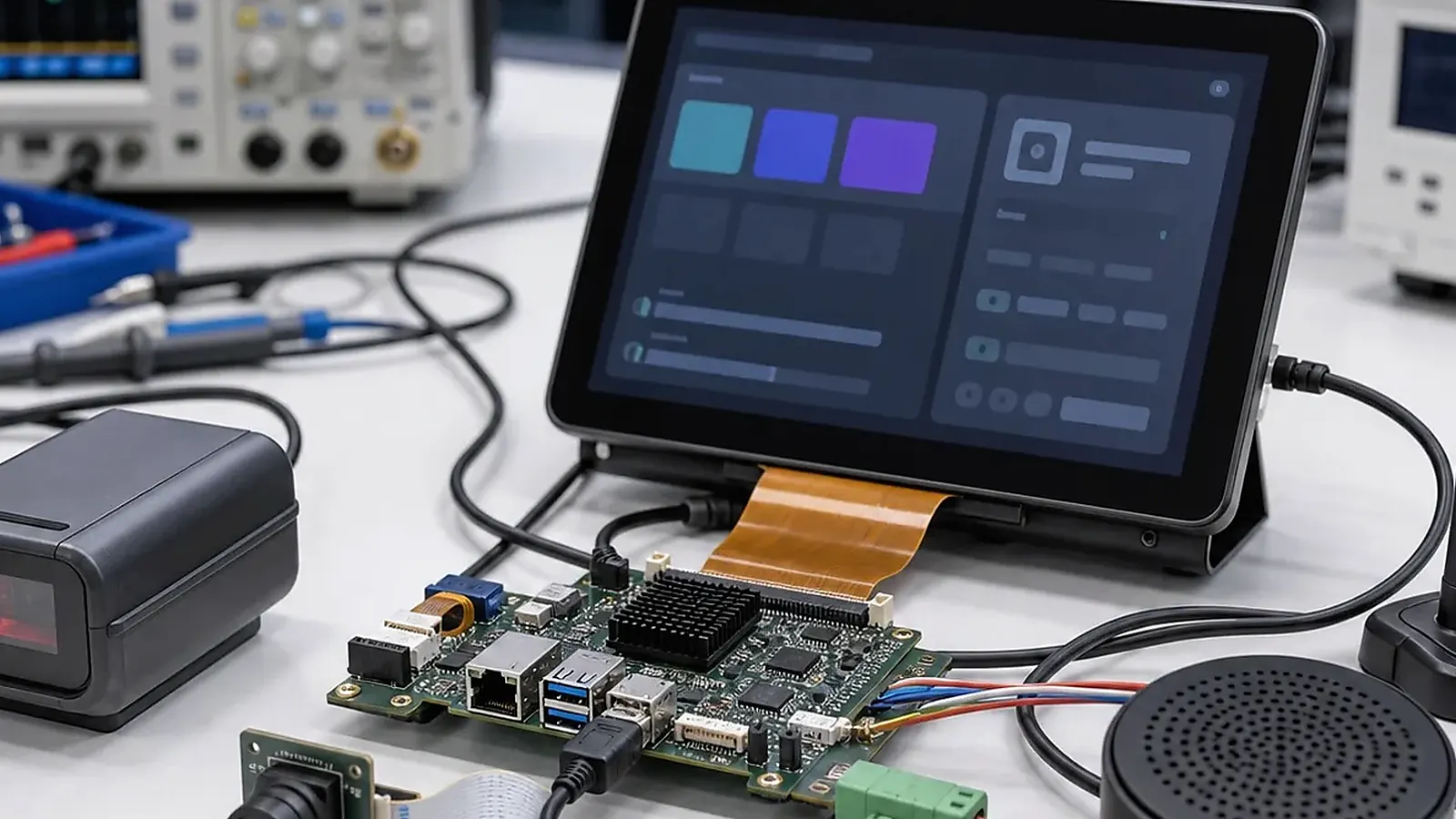
Smart terminal projects often become difficult because of peripherals. The screen and main board may work early, but camera, scanner, printer, NFC, audio, USB devices, LTE, sensors, and custom keys introduce driver, power, enclosure, and testing issues. Peripheral integration should be planned before board selection, not after the application is almost finished.
For Smart Terminal Peripheral Integration: Camera, Scanner, Printer, NFC, Audio, and USB, the right SBC is the one that survives the full transaction flow. Test boot, login, network reconnect, peripheral wake-up, data upload, error messages, and recovery after power loss before treating a sample board as a product platform.
For a Smart Terminal SBC, every peripheral should have a clear purpose, interface, driver plan, software owner, mechanical position, and production test method. This is where engineering, project management, and procurement need to work from the same list.
Build the peripheral list
Start with a table that names each peripheral and how it connects. A barcode scanner may use USB or UART. A printer may need USB, serial, power budget, paper sensor, and driver support. A camera may require MIPI CSI or USB, sensor driver, preview performance, and permission handling. NFC may require I2C, UART, USB, or a module interface.
| Peripheral | Planning questions |
|---|---|
| Camera | Sensor, interface, resolution, preview, permissions, position |
| Scanner | USB or UART, power, trigger, SDK, test barcode |
| Printer | Interface, power peak, paper sensor, cutter, driver |
| NFC | Module, antenna, protocol, certification, app access |
| Audio | Speaker, microphone, codec, amplifier, enclosure acoustics |
| USB devices | Host/device mode, hub, power budget, connector access |
| Wireless | Wi-Fi, Bluetooth, LTE, antenna, regulatory direction |
The goal is to remove ambiguity before samples are built.
Android and Linux driver planning
For Android terminals, confirm permissions, HAL or driver support, app access, USB behavior, camera preview, audio routing, and background service rules. The official Android USB documentation is useful background for USB accessory and host concepts, but embedded terminals depend on board image and driver support.
For Linux terminals, confirm kernel driver, device tree, service startup, udev rules, permissions, logs, and recovery behavior. A device that appears during a bench test may still fail when power, sleep, or reconnect behavior changes.
Ownership should be clear. The supplier may support the board image, drivers, and hardware test method, while the customer may own the business app or SDK integration. If a scanner SDK, printer library, or NFC stack is provided by a third party, confirm who will validate it on the target board and who will handle version changes.
Power and mechanical constraints
Peripherals affect power design. Printers, LTE modules, speakers, backlights, cameras, and USB devices can create peak current demands. The board and power supply should be sized for simultaneous use, not only idle operation. If the terminal uses a battery or backup supply, define sleep and wake behavior early.
Mechanical placement matters too. Camera angle, scanner window, NFC antenna area, speaker cavity, microphone opening, USB access, and printer paper path can all force board or cable changes. If a standard board creates awkward routing, a Custom SBC may be cleaner.
Procurement and lifecycle checks
Peripheral modules can change during purchasing. A new scanner module, camera sensor, NFC reader, or wireless module may need different drivers or SDK support. Procurement needs to confirm lifecycle and approved alternates before the pilot run. Engineering should identify components that cannot be changed without software validation.
If platform choice is still open, compare Rockchip SBC for richer Android UI or multimedia needs and Allwinner SBC for controlled cost-sensitive terminal designs.
Production test method
Every peripheral should have a repeatable test. Camera tests needs to verify preview or capture. Scanner tests should read a known code. Printer tests should print a test line. NFC tests should read a known card. Audio tests needs to verify speaker and microphone paths. USB tests needs to confirm host/device behavior.
Fix driver ownership during BSP and peripheral integration before approving samples. For scanner, camera, printer, and NFC combinations, use transaction-level hardware validation to cover power and recovery behavior.
Production tests should also check reconnect behavior. Unplug and reconnect USB devices, restart the terminal, wake it from sleep, and confirm the application still sees the peripheral. Many field issues come from edge cases rather than first boot.
For procurement, require approved peripheral models before pilot production. A “compatible scanner” or “similar camera” is too vague for a repeatable terminal. The exact model, firmware, cable, connector, driver, and test barcode or card needs to be part of the production baseline.
Field maintenance and replacement
Peripherals are often the first parts users notice when something fails. A scanner that misses reads, a printer that jams, a camera that loses focus, or a microphone that performs poorly can make the whole terminal look unreliable. Plan how these parts are diagnosed and replaced.
Maintenance documentation needs to cover cable location, connector type, test method, known-good sample, and software version. If the peripheral is replaceable, confirm whether replacement requires recalibration, firmware update, or application configuration. These details matter for distributors and field service teams.
Final recommendation
Treat peripheral integration as a complete hardware, software, mechanical, and production task. The earlier the team defines models, interfaces, drivers, power, placement, and tests, the easier it is to move from sample to production.
Final recommendation
Plan smart terminal peripherals as part of the core product, not as accessories added later. A clear peripheral matrix reduces driver surprises, power issues, mechanical rework, and factory test gaps.
Frequently Asked Questions
What details are useful before we talk about a Smart Terminal build?
Send the use case, OS preference, display or I/O list, enclosure limits, power input, wireless needs, target quantity, and timing. With that context, Avontek can suggest a Smart Terminal hardware path that fits the real device instead of only comparing board specifications.
When is a custom SBC worth considering for a Smart Terminal product?
A custom SBC is worth reviewing when the device needs a fixed PCBA outline, connector position, display interface, power input, wireless module, mounting method, or cost target that a catalog board cannot meet cleanly.
Can Avontek stay involved after Smart Terminal samples are built?
Yes. Avontek can help with Smart Terminal board choice, Android or Linux BSP discussion, peripheral checks, sample bring-up, test fixtures, image review, and factory coordination.