
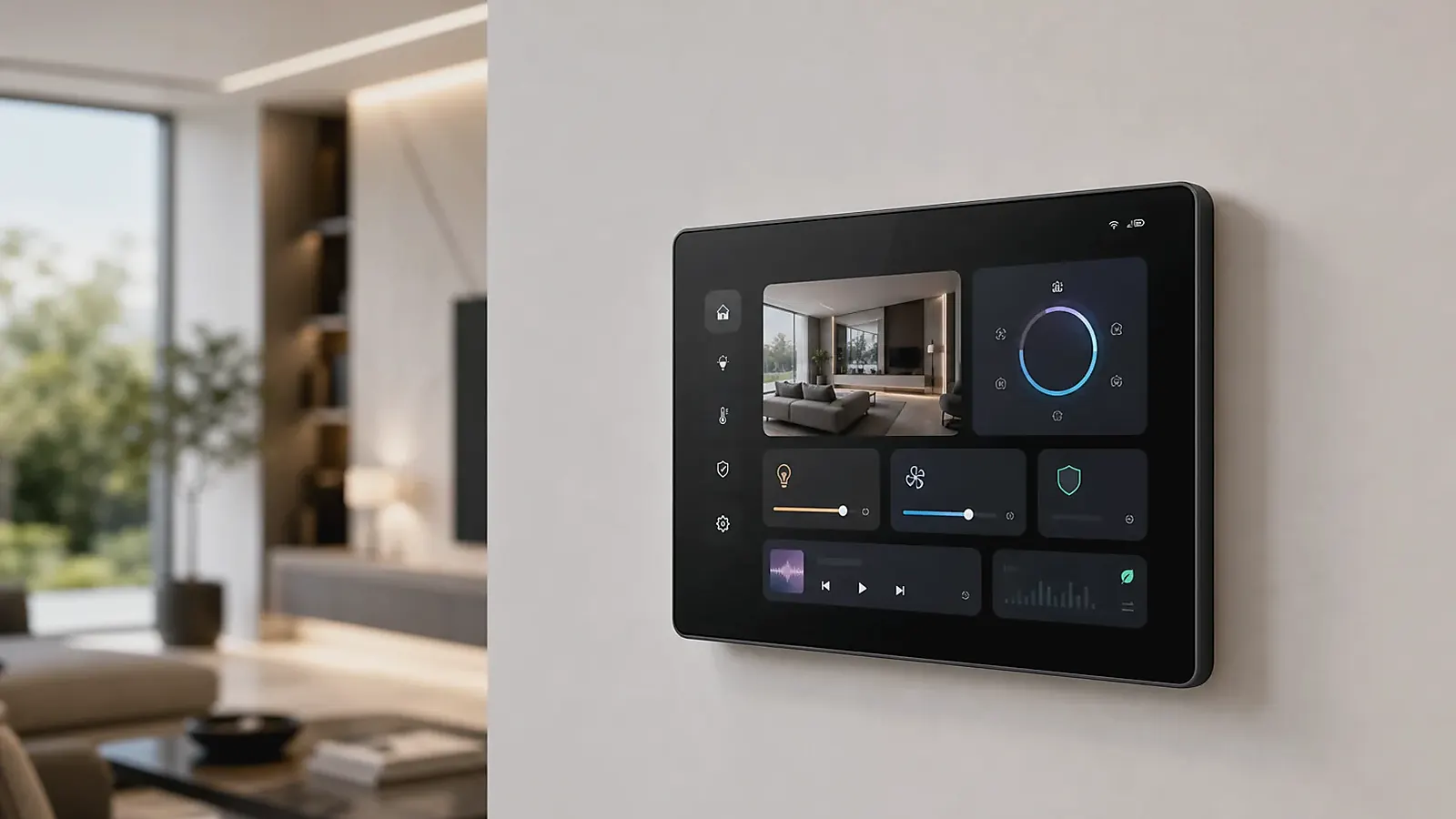
Hotel, apartment, and room control projects need smart control panels that are easy for users, reliable for operators, and practical for installation teams. The panel is not just a touchscreen on a wall. It becomes the visible interface for lighting, climate, curtains, scenes, service requests, access, intercom, and sometimes building services. A poor panel decision can create installation delays, guest confusion, maintenance issues, or inconsistent room behavior.
A useful review for Smart Control Panel for Hotel, Apartment, and Room Control Projects is to walk through the first ten minutes after installation. The panel should power up cleanly, join the intended network, open the right app or UI, keep touch response stable, and expose only the settings that the installer or operator is allowed to change.
A complete Smart Control Panels product can shorten the path when the project needs a finished wall-mounted device rather than a board-level development project. The planning work should still be detailed because each building scenario has different software, wiring, branding, and maintenance requirements.
Define the room scenario
A hotel room panel may need welcome scenes, do-not-disturb, housekeeping requests, HVAC control, curtain control, lighting scenes, multilingual UI, and guest-safe restrictions. An apartment panel may need smart home scenes, building access, elevator call, intercom, property service, and owner settings. A meeting room panel may need booking status, lighting, air conditioning, screen control, and simple mode switching.
The room workflow should be written before selecting the screen size or model. If the project is actually a custom terminal with special peripherals, compare Android SBC and Custom SBC directions before choosing a complete wall panel.
Installation and wiring
Room panels are installed repeatedly, often across many rooms. Installation consistency matters. Confirm wall box type, mounting depth, screw position, cable entry, power input, network method, and whether local control lines are needed. A panel that installs cleanly in one demo room may still be difficult across a full hotel floor if wall depth or wiring varies.
| Project area | Questions to confirm |
|---|---|
| Room type | Hotel, apartment, meeting room, villa, office, public space |
| Control scope | Lighting, HVAC, curtains, scenes, service, access, intercom |
| Wiring | Power, Ethernet, RS485, relay, dry contact, gateway link |
| Network | Wi-Fi, Ethernet, Bluetooth, local gateway, cloud connection |
| UI | Guest mode, admin mode, language, scenes, branding |
| Maintenance | Logs, reset, update method, replacement process |
For procurement, model choice should also consider spare units, follow-up batches, and whether installation accessories are stable.
For project managers, one sample room is not enough. A hotel or apartment project should test the panel in different room layouts, wall conditions, and network locations. The installation team should report whether the cable route is easy, whether the panel sits flat, whether the wall box depth is sufficient, and whether replacement can be done without damaging the wall finish.
UI workflow for non-technical users
The panel UI must be clear to people who will not read a manual. Hotel guests need obvious room modes. Apartment residents need predictable daily controls. Meeting room users need fast scene switching. The screen should not expose engineering settings, Android navigation, or confusing system prompts during normal use.
Android panels can support rich interfaces, but the Android image should be controlled. Confirm boot logo, app startup, navigation lock, permissions, screen timeout, recovery behavior, and update method. The official Android dedicated devices documentation gives useful background for dedicated Android device behavior.
Wireless, gateway, and protocol decisions
Some room panels communicate with a local gateway. Others connect through Wi-Fi or Ethernet to a building system. Some projects require RS485, relay outputs, or integration with third-party room control systems. Do not assume a panel can directly control every device. Define the system architecture first.
If the project includes Matter-enabled smart home devices, review the Connectivity Standards Alliance Matter overview as background. In practical projects, Matter support, gateway architecture, and app integration still need product-specific confirmation.
Network planning needs testing during the pilot stage. Check signal strength with doors closed, after the room is occupied, and when many panels are online at the same time. A panel that depends on a weak wireless network can create service calls even when the hardware itself is working correctly.
Branding and deployment
Hotel and apartment projects often require logo, UI theme, startup screen, packaging, label, documentation, and sometimes model naming. Branding should be discussed together with minimum order quantity, schedule, and software scope. A small UI change may be simple; a deep system workflow change may require more development.
Deployment planning needs to cover sample room validation, pilot floor testing, installation feedback, network stress testing, and spare unit strategy. The article on planning inputs for smart control panel projects is a useful starting point for this preparation.
Maintenance planning needs to be part of deployment. Operators need to know how to reset a panel, replace a failed unit, check software version, recover network settings, and update the control app. Without this plan, a building project can become dependent on engineering support for routine service tasks.
Final recommendation
Select a smart control panel for room projects by workflow, installation, UI control, network architecture, branding, and maintenance. The best panel is one that installers can mount repeatedly, users can understand immediately, and operators can support across many rooms.
Frequently Asked Questions
What details are useful before we talk about a Smart Control Panels build?
Send the use case, OS preference, display or I/O list, enclosure limits, power input, wireless needs, target quantity, and timing. With that context, Avontek can suggest a Smart Control Panels hardware path that fits the real device instead of only comparing board specifications.
When is a custom SBC worth considering for a Smart Control Panels product?
A custom SBC is worth reviewing when the device needs a fixed PCBA outline, connector position, display interface, power input, wireless module, mounting method, or cost target that a catalog board cannot meet cleanly.
Can Avontek stay involved after Smart Control Panels samples are built?
Yes. Avontek can help with Smart Control Panels board choice, Android or Linux BSP discussion, peripheral checks, sample bring-up, test fixtures, image review, and factory coordination.