
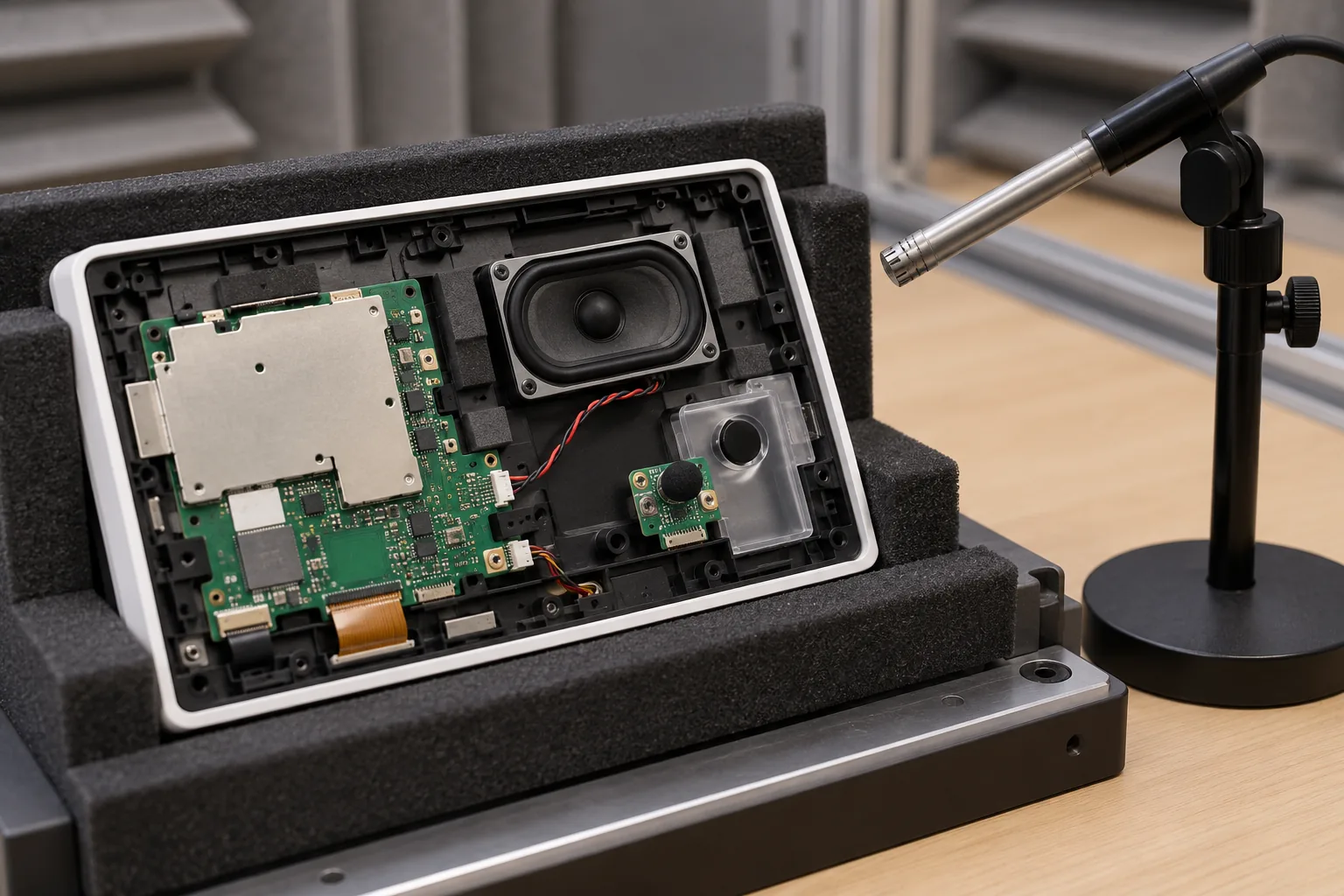
“Add a microphone and speaker” is not a complete audio requirement. A confirmation beep, room intercom, voice command, and music stream place different demands on the same small panel. A design adequate for one can be disappointing for another, even when every component is operating within its electrical ratings.
Smart control panel audio planning should begin with those use cases and follow the signal through the enclosure, electronics, operating system, and application. Agree how it will be evaluated before selecting the speaker or promising hands-free operation.
Define what people need to hear and say
List listening and speaking positions, expected background noise, maximum intended volume, and whether speech must work while the speaker is active. A person standing close to a wall switch presents a different acoustic problem from someone speaking across a room.
For smart control panel hardware, distinguish tones, recorded prompts, intercom, and far-field voice input. Define which functions are essential and which can be limited when network or processing resources are unavailable.
Set measurable conditions: test distance, orientation, signal, background environment, volume setting, and acceptable outcome. A description such as “clear sound” cannot be reproduced reliably by the supplier, factory, and customer in three different rooms.
Choose the microphone path with the BSP team
Identify analog, PDM, or another supported digital microphone arrangement. Verify power, bias where applicable, clocks, channel mapping, sensitivity, and the available driver path. A microphone footprint on the PCB is not proof that the released image can capture from it.
Place the acoustic opening deliberately. Check whether a gasket or channel seals the microphone to the opening, whether adhesive can block it, and whether the final mounting orientation changes the path. A microphone inside an otherwise sealed enclosure may mostly capture internal vibration and speaker leakage.
Keep microphone placement and electrical routing under joint review. Display converters, radios, and speaker switching currents can introduce interference through different mechanisms. Diagnose whether a noise source is acoustic, conducted, or radiated before changing gain to hide it.
Specify the speaker in its enclosure
Record impedance, sensitivity, size, mounting, and the supplier’s rated operating conditions. Electrical power handling does not directly state the sound level at the listener. A small driver can reach distortion or excursion limits before an amplifier reaches its headline power rating.
Test the driver in the intended cavity with the grille and seals installed. Leaks, loose parts, panel vibration, and a restricted opening can change the result substantially. A bare speaker on the bench is useful for diagnosis but is not the product being sold.
The wall-panel mechanical design should reserve acoustic space alongside mounting depth and heat paths. Leaving the speaker until the last empty corner of the enclosure often transfers the problem to software gain settings.
Check amplifier power, return paths, and sequencing
Match the amplifier to the speaker load and available supply. Review power at the required distortion limit, supply droop during loud passages, and heat inside the closed panel. A power specification measured under different supply and load conditions is not directly comparable.
Many compact amplifiers use bridge-tied outputs. Neither speaker terminal should be assumed to be ground; follow the specific amplifier’s connection and measurement requirements. Check whether protection, filtering, and cable routing suit the chosen output stage.
Plan mute and enable sequencing through boot, shutdown, suspend, and fault recovery. Pops can originate from bias settling or switching order, not just the audio file. Test the sequence at different supply ramps and after interrupted startup.
| Audio requirement | Hardware dependency | Software and acceptance check |
|---|---|---|
| Confirmation tone | Speaker and amplifier headroom | Correct route and repeatable level |
| Voice capture | Microphone, opening, noise floor | Gain, channel order, clipping |
| Intercom | Acoustic separation and stable playback | Echo handling and two-way speech |
| High-volume prompt | Supply and enclosure behavior | Distortion and thermal response |
| Sleep recovery | Retained or restarted audio components | No missing route or unwanted pop |
| Accessory change | Supported wired or wireless path | Deterministic route and fallback |
Follow Android routing end to end
The path includes the application, framework policy, audio HAL, drivers, codec or digital interface, and amplifier controls. A low-level playback test can bypass parts of that path. Use it to isolate faults, then repeat the actual application workflow.
The Android Open Source Project’s audio policy configuration guidance describes how supported audio topology and routing are represented. The applicable format and integration depend on the Android branch and vendor implementation; do not copy a policy file from an unrelated product without checking it.
During Android panel integration, define usage, focus, volume behavior, permissions, and device selection. Decide what happens when a call interrupts media, an accessory disconnects, or the app restarts while audio is active.
An Android SBC platform should be evaluated with these transitions, not only a music sample. Confirm that ordinary users cannot accidentally leave the product routed to an unavailable output.
Treat echo control as an integrated function
Hands-free intercom places the microphone near a loudspeaker in a reflective room. Acoustic echo cancellation needs an appropriate reference signal and timing, plus a signal path that stays within its operating assumptions. Clipping, nonlinear speaker behavior, and changing gain can make that job harder.
Do not equate microphone count with echo performance. If the design uses an array or a dedicated processor, establish which functions are implemented, where processing runs, and which configuration is released. Keep that configuration matched to the physical microphone arrangement.
Test double talk, quiet speech after loud playback, changes in volume, and realistic room reflections. Include a poor network condition when the application carries audio remotely. Separate local acoustic faults from delay, packet handling, and remote-end processing before assigning a fix.
Make production checks controlled, not subjective
A factory station can play a known signal and measure the response using a fixed microphone arrangement. Capture can be checked with a controlled acoustic source. Define positioning, background-noise limits, reference equipment, and the features being evaluated.
Such checks can detect a missing speaker, blocked microphone opening, wrong channel, or major level error. They do not automatically replace full acoustic qualification. Decide which defects each short production test is intended to catch and retain representative failures.
Avoid tuning every unit until it sounds acceptable to an operator. If one assembly needs different gain, investigate component variation, sealing, contamination, or installation. Per-unit correction should be an approved process with limits, not an informal escape from a failing test.
Deliver the audio configuration with the hardware
Archive microphone and speaker parts, acoustic drawings, seals, amplifier settings, codec configuration, Android policy, application versions, and any processing parameters. A replacement speaker with similar dimensions can still require a new acoustic review.
For custom panel electronics, assign one owner to the complete audio result. Hardware, BSP, application, and enclosure suppliers may each demonstrate their own piece while the installed panel remains unsatisfactory.
Use the final closed enclosure for the acceptance recording and keep the test conditions with it. The handover should explain what the panel can reproduce and capture, under which conditions, and how the factory checks that later units retain the approved behavior.
Frequently Asked Questions
Does a higher speaker wattage make a wall panel louder?
Not by itself. Sensitivity, impedance, available amplifier voltage, distortion, enclosure loading, grille openings, and listening distance all affect usable output. Compare acoustic performance under stated conditions, not wattage alone.
Does adding two microphones guarantee echo cancellation?
No. Echo control needs a suitable processing path, playback reference, timing, and acoustic design. Multiple microphones can support particular processing techniques, but their presence alone does not establish call quality.
Why does audio work in a test utility but fail in the Android app?
The utility may bypass the application's normal route or policy. Check permissions, audio usage, focus, device selection, HAL integration, and route changes during calls, reconnects, and resume.