
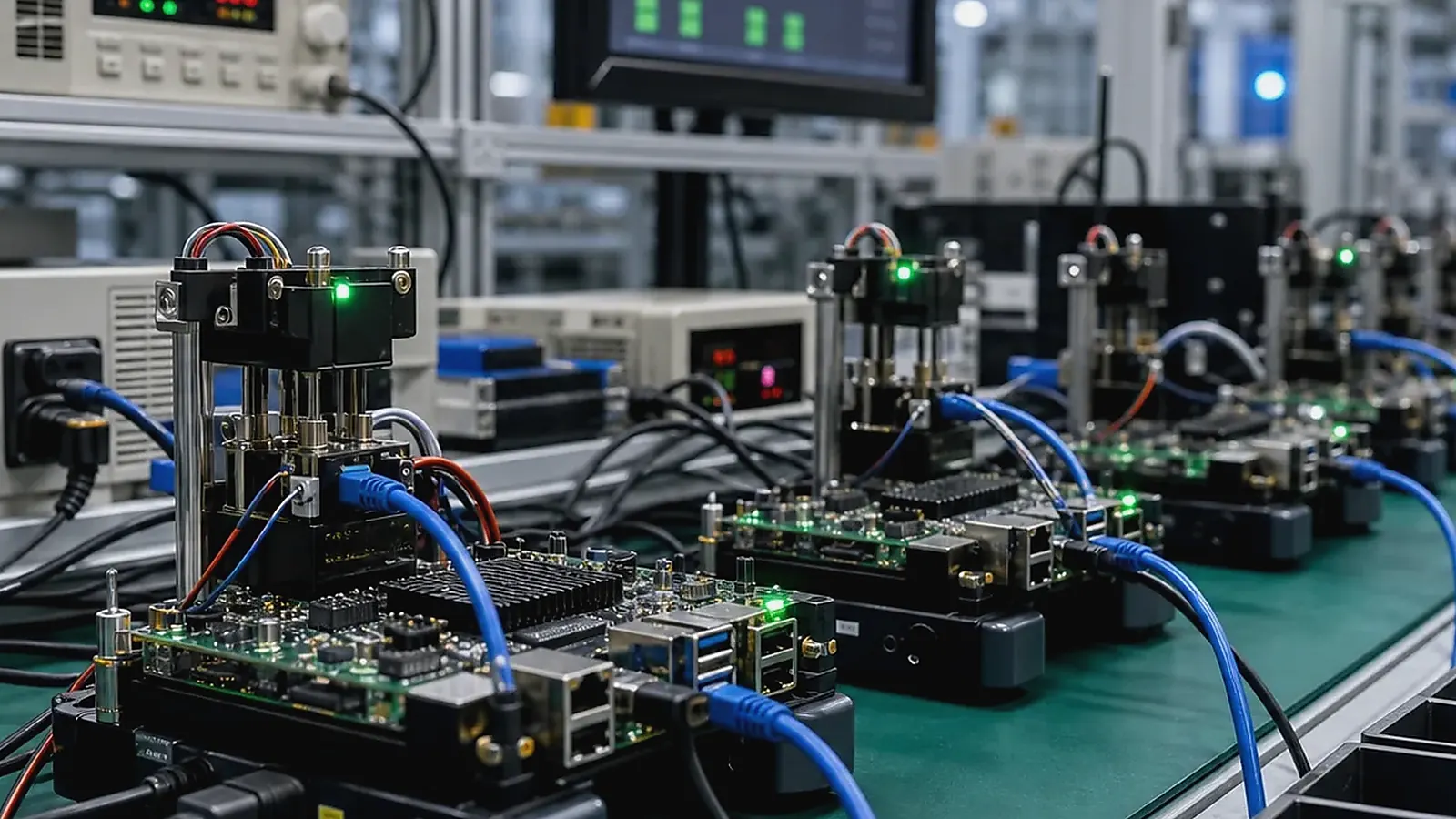
PCBA production testing is where an embedded SBC project proves that it can be built repeatedly, not only demonstrated once. A working prototype is useful, but it does not prove that the BOM is controlled, the image can be flashed correctly, every interface is functional, labels are correct, and failed units can be traced. Production testing connects hardware, software, materials, assembly, packaging, and delivery.
Manufacturing review should be based on records, not memory. For PCBA Production Testing for Embedded SBC Projects, keep the approved BOM, image version, fixture version, serial number rule, label file, packaging sample, defect photos, and rework notes together so a later batch can be compared with the pilot run.
For embedded boards, smart terminals, HMI devices, gateways, and control products, test planning should start before batch production. The best test process is designed alongside the product. If test points, connectors, labels, or software commands are considered too late, the factory may be forced into slow manual checks or incomplete inspection.
Testing starts before production
Production preparation begins with BOM review. Check key IC availability, memory, storage, wireless modules, Ethernet PHY, PMIC, display and touch parts, connectors, power components, and possible replacement risks. A component substitution can affect hardware behavior, BSP support, test fixtures, and regulatory assumptions. Procurement and engineering should agree on approved alternatives before volume purchasing.
Prototype bring-up should record power behavior, boot behavior, current draw, display, touch, Ethernet, USB, UART, GPIO, wireless, audio, storage, and product-specific functions. EVT and DVT reports needs to cover board revision, image version, tested accessories, test duration, and open issues. Vague notes such as “USB OK” are not enough when failures appear later.
For Custom SBC projects, test requirements should be discussed before PCB layout is complete. Test pads, fixture access, debug ports, serial number labels, and connector positions affect whether production testing is fast and reliable.
What a functional test should cover
The exact test depends on the product, but most embedded SBC projects need to verify power input, boot, system image version, storage, network, USB, serial ports, GPIO, wireless, display, touch, audio, camera if used, RTC, watchdog, LEDs, buttons, and application startup. If the product has RS485, CAN, relay output, scanner, printer, NFC, or LTE, those functions need their own test steps.
| Test area | Typical production check |
|---|---|
| Power | Input range, current, restart after power cycle |
| System | Boot, image version, serial number, MAC address |
| Network | Ethernet, Wi-Fi, Bluetooth, LTE if used |
| Interfaces | USB, UART, RS485, CAN, GPIO, relays |
| User hardware | Display, touch, audio, camera, keys, LEDs |
| Storage | eMMC/SD detection, write test, capacity check |
| Application | App startup, service startup, product workflow |
| Traceability | Label, test log, failure code, packaging check |
The test fixture should produce records. At minimum, keep unit ID, board revision, image version, test result, failure item, operator or station, and date. These records help diagnose batch issues and prevent repeated disputes about whether a failure happened before or after shipment.
Software image and flashing control
Production testing depends on a controlled software image. The factory should know which image version is approved, how it is flashed, how MAC addresses or serial numbers are written, and how the image version is checked during test. For Android products, app preload, permissions, boot logo, and startup behavior should be verified. For Linux products, service startup, watchdog, logs, and network recovery may be part of the test.
The official IPC standards resources provide useful manufacturing background, but each embedded product still needs a project-specific test plan that matches its interfaces and software behavior.
Pilot production and failure feedback
Pilot production should be treated as a validation stage, not only a small shipment. It should test assembly flow, fixture reliability, flashing time, operator instructions, packaging, and failure handling. If too many units need manual rework, the issue should be closed before larger batches.
Failure feedback should be specific. Record whether the problem is material, soldering, assembly, BSP, application, test fixture, packaging, or handling. Include photos, logs, board revision, and image version when possible. This makes corrective action faster and reduces repeated failures in follow-up batches.
Manufacturing coordination
Avontek supports projects through production coordination, functional testing, issue feedback, software image checks, and lifecycle supply planning. The Manufacturing page explains how engineering and quality feedback connect with production support. For more detailed production flow, read SMT-to-delivery workflow for embedded boards and pogo-pin fixtures and automated board testing.
Production planning should also include packaging, accessories, labels, manuals, firmware version notes, and shipment inspection. A technically good board can still create customer problems if it ships with the wrong cable, wrong image, unclear label, or inconsistent packaging.
Test fixture planning
A good fixture reduces operator judgment. It should connect to the required ports, provide stable power, run repeatable commands, show pass or fail clearly, and store results. For display or touch products, some checks may still require visual inspection, but the test flow should be as consistent as possible. For gateway and control boards, automated Ethernet, serial, GPIO, storage, and watchdog checks can catch many defects before shipment.
Fixture planning should start during board design. Test points, connector access, reset control, boot mode pins, debug UART, and label position all affect fixture design. If these are ignored until production, the factory may need slow manual work or temporary cables that create inconsistent results.
What to review after the first batch
After the first pilot batch, review yield, common failures, flashing time, fixture reliability, operator notes, packaging issues, and customer feedback. If failures repeat, decide whether the cause is design, material, assembly, software, fixture, or instruction quality. Close those issues before scaling volume.
Procurement should also review whether all materials matched the approved BOM. A pilot run is the right time to catch substitutions, unclear labels, packaging gaps, or accessories that do not match the final shipment requirement.
One simple habit is to keep the first failed unit from each failure type. Photos and logs help, but a physical unit with the original label, soldering state, image version, and accessories often shortens root-cause work.
Common mistakes to avoid
The first mistake is testing only the easiest functions. If the product ships with RS485, CAN, Wi-Fi, display, touch, audio, or camera, those functions need testing in a way that matches the product use. The second mistake is relying on operator memory instead of a written test flow. A good fixture and checklist reduce variation between shifts and batches.
The third mistake is not storing test data. Without records, repeated failures become difficult to trace. Even a simple CSV or database with serial number, image version, board revision, failure item, and test time can save many hours during issue analysis.
Testing should also cover packaging and accessories. Wrong cables, missing labels, or incorrect firmware notes can create customer complaints even when the PCBA itself is good.
For buyers, the test report should be easy to understand. It does not need to be complicated, but it should show what was tested, which version was used, which units failed, how failures were handled, and whether the batch is approved for shipment.
This also gives future batches a baseline, so the team can see whether quality is improving, drifting, or being affected by material changes.
Final recommendation
Plan PCBA production testing as part of product development. Define what must be tested, how the unit is flashed, how results are recorded, and how failures are fed back before volume production begins. A repeatable test process protects engineering time, purchasing cost, and customer trust after shipment.
Frequently Asked Questions
What details are useful before we talk about a Manufacturing & Testing build?
Send the use case, OS preference, display or I/O list, enclosure limits, power input, wireless needs, target quantity, and timing. With that context, Avontek can suggest a Manufacturing & Testing hardware path that fits the real device instead of only comparing board specifications.
When is a custom SBC worth considering for a Manufacturing & Testing product?
A custom SBC is worth reviewing when the device needs a fixed PCBA outline, connector position, display interface, power input, wireless module, mounting method, or cost target that a catalog board cannot meet cleanly.
Can Avontek stay involved after Manufacturing & Testing samples are built?
Yes. Avontek can help with Manufacturing & Testing board choice, Android or Linux BSP discussion, peripheral checks, sample bring-up, test fixtures, image review, and factory coordination.