
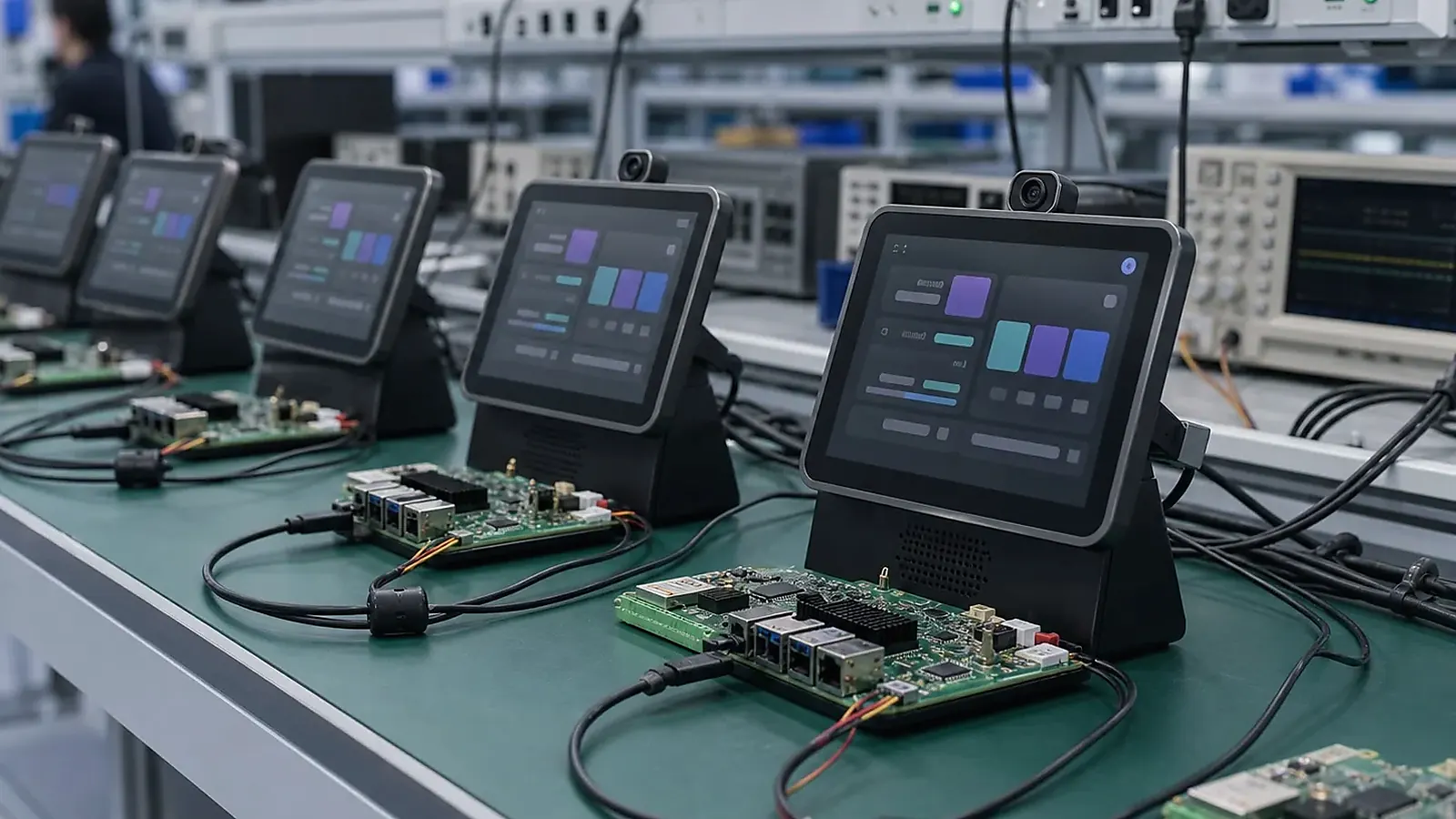
OEM smart terminal production testing should prove that every unit matches the approved sample. A working prototype is not enough. The factory needs a repeatable method to flash the image, test display and touch, verify wireless, check peripherals, record identifiers, inspect labels, and package the product correctly. Without that process, quality problems often appear after the first larger batch.
Manufacturing review should be based on records, not memory. For OEM Smart Terminal Production Testing Checklist for Embedded Devices, keep the approved BOM, image version, fixture version, serial number rule, label file, packaging sample, defect photos, and rework notes together so a later batch can be compared with the pilot run.
For teams building a Smart Terminal SBC product, testing should be planned before pilot production. The test flow depends on operating system, peripherals, enclosure, app workflow, and customer branding.
Define the approved baseline
Before production, record the approved hardware model, board revision, display model, touch controller, wireless module, Android or Linux image version, application version, packaging file, label format, and accessory list. This baseline is the reference for future batches.
If the product is built around a standard Android SBC or Linux SBC, confirm which items are standard and which are customer-specific. If it uses a Custom SBC, also record board outline, connector layout, and approved BOM.
Functional test checklist
| Test area | What to verify |
|---|---|
| Display | Color, brightness, orientation, backlight, dead pixels |
| Touch | Full-panel response, multi-touch, rotation, wake behavior |
| Wireless | Wi-Fi, Bluetooth, LTE if used, antenna connection |
| Peripherals | Camera, scanner, printer, NFC, audio, USB, keys, LEDs |
| System image | OS version, app version, boot logo, auto-start |
| Network | Ethernet, cloud login, gateway connection, API endpoint |
| Identity | Serial number, MAC address, barcode, customer label |
| Packaging | Accessories, manual, label, box, protective materials |
The official Wi-Fi Alliance certification information is useful background for wireless interoperability, but each terminal still needs factory-level wireless testing in its own configuration.
Factory test software
A terminal test app or test script should reduce manual judgment. It can show display colors, draw touch paths, test Wi-Fi, play audio, capture camera preview, read scanner input, trigger printer output, and save pass/fail results. For Linux terminals, scripts can check services, interfaces, logs, and connected devices.
Factory test records needs to cover image version, operator, date, serial number, MAC address, and failed items. These records help when a customer reports a problem from a specific batch.
The test method should be simple enough for production workers to repeat, but detailed enough to catch customer-specific failures. If the terminal needs gateway login, cloud pairing, scanner SDK behavior, or printer output format, those items should be listed explicitly. Otherwise the factory may only test generic hardware and miss the actual product workflow.
Pilot run validation
The pilot run should test the full process: material preparation, assembly, flashing, functional testing, branding, label printing, packaging, and shipment. Engineers should review failures, procurement should check material stability, and project managers needs to confirm whether the production schedule remains realistic.
Do not approve mass production only because a few engineering samples passed. Pilot units reveal fixture access, cable assembly difficulty, wireless variation, label mistakes, packaging damage, and software version control issues.
Delivery and follow-up batches
For OEM projects, delivery planning needs to cover spare units, accessories, firmware update policy, configuration backup, and repeat-order support. If a component changes in a future batch, the supplier needs to confirm whether the test process or software image must change.
For related preparation, read mainboard architecture for connected terminals and factory test coverage for embedded boards.
Incoming inspection should compare delivered units against the approved baseline. Check screen appearance, enclosure finish, labels, packaging, accessories, software version, and a sample of functional tests. This helps catch shipping damage, packaging mistakes, or version drift before devices are deployed.
For larger orders, keep one approved golden sample and one production reference unit. When a later issue appears, the team can compare hardware, software, labels, and packaging against known-good units instead of relying on memory.
Supplier communication
OEM terminal production depends on clear communication between buyer and supplier. Before each batch, confirm whether the BOM, display, touch controller, wireless module, system image, customer app, packaging, and accessories are unchanged. If anything changes, decide whether the sample needs to be reapproved.
The supplier should also report recurring test failures during production. A repeated touch issue, wireless failure, camera problem, or flashing error may point to a material, fixture, or software problem. Early reporting gives the team a chance to fix the issue before shipment.
Final recommendation
Use production testing to protect the approved product experience. A smart terminal should ship with the right hardware, right software, right labels, right accessories, and a recorded test result. That discipline is what turns an OEM terminal from a good sample into a repeatable product.
Final recommendation
Treat smart terminal testing as part of product design. A clear baseline, functional test checklist, factory test software, pilot run, and delivery record help the terminal move from sample to repeatable production with fewer surprises.
Frequently Asked Questions
What details are useful before we talk about a Smart Terminal build?
Send the use case, OS preference, display or I/O list, enclosure limits, power input, wireless needs, target quantity, and timing. With that context, Avontek can suggest a Smart Terminal hardware path that fits the real device instead of only comparing board specifications.
When is a custom SBC worth considering for a Smart Terminal product?
A custom SBC is worth reviewing when the device needs a fixed PCBA outline, connector position, display interface, power input, wireless module, mounting method, or cost target that a catalog board cannot meet cleanly.
Can Avontek stay involved after Smart Terminal samples are built?
Yes. Avontek can help with Smart Terminal board choice, Android or Linux BSP discussion, peripheral checks, sample bring-up, test fixtures, image review, and factory coordination.