
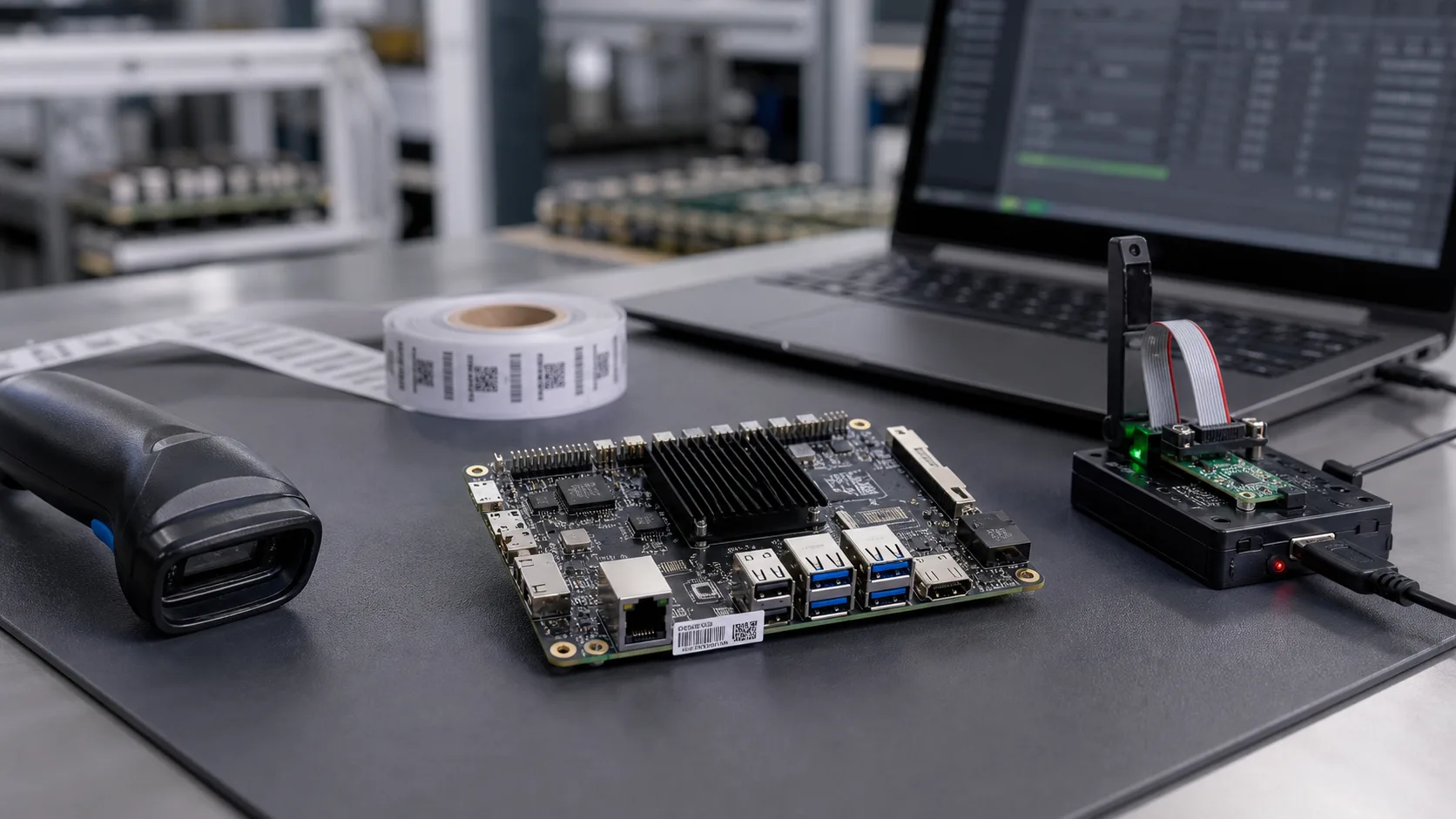
MAC address, serial number, and firmware version control look like small production details until the first batch ships with duplicated labels, the wrong image, or no way to trace a failed unit. For embedded SBC products, Android terminals, Linux gateways, HMI boards, and custom mainboards, identity control connects engineering, factory testing, field service, and customer support.
The practical goal is simple: every shipped unit should have a unique identity, a known firmware image, a known hardware revision, and a test record that can be found later. Projects often get messy through copied spreadsheets, hand-edited labels, skipped test fields, or reworked units with unclear records. Those gaps become expensive when a customer asks which batch has a network issue or which units need a firmware update.
For Manufacturing support, Avontek treats identity and version control as part of the production flow, not an afterthought. It should be discussed before pilot production, especially when the product uses Ethernet, Wi-Fi, Bluetooth, cellular modules, customer labels, production test software, or different firmware images for different customers.
Start with the identity model
Before writing labels or flashing images, decide what identities the product needs. Many embedded products need more than one value: a board serial number, external product serial number, Ethernet MAC address, module-level wireless addresses, firmware version, and sometimes a customer configuration ID.
Use a short identity plan instead of relying on memory:
| Identity item | Example use | Production risk if uncontrolled |
|---|---|---|
| Product serial number | Label, warranty, shipment record | Duplicate units, weak field traceability |
| Board serial number | PCBA-level testing and rework | Hard to connect PCBA failures with final product |
| Ethernet MAC address | Network identity | Duplicate network devices or customer IT rejection |
| Firmware version | Image approval and field update | Wrong image shipped or mixed batch behavior |
| Hardware revision | BOM, PCB, and assembly tracking | Failure analysis becomes slow |
| Test fixture version | Production test consistency | Pass/fail data cannot be compared between runs |
Some projects can keep the board serial number and product serial number the same. Others need separate values because the PCBA is tested before enclosure assembly, or because the customer wants a different label format.
MAC address planning
MAC address control deserves special care. A MAC address is not a random number printed on a label. If the product uses Ethernet or certain wireless modules, the address must be unique and written consistently into the device, label, and production record. For official background on address assignment, the IEEE Registration Authority is the right reference point.
In a production project, the customer and supplier should agree who owns the MAC address block, who allocates the range, and where the record is stored. If the customer provides addresses, the factory needs a controlled input file and a clear rule for failed, reworked, or scrapped units.
Do not let operators type MAC addresses manually unless there is no alternative. A better process is to allocate an approved range, load it into the production tool, write the address during flashing or first test, then read it back during functional test. The test system should fail the unit if the written MAC does not match the assigned record.
Serial number rules
A good serial number is readable, unique, and useful later. It does not need to contain every detail, but it should support batch traceability. Many teams use product code, year or date code, batch code, and sequence number. The exact format depends on the customer’s ERP, label space, barcode scanner, and service process.
For example:
AVT-HMI-2607-A00123
This kind of serial number can tell the team the product family, month, batch, and unit sequence. For a small pilot run, a simpler rule may be enough. For repeated shipments, the rule should be stable before the first customer batch.
Serial numbers should be printed as human-readable text and also encoded as a barcode or QR code when possible. The production test software should scan the label, not ask the operator to type it. If the product has an enclosure, confirm label position before the mechanical design is frozen.
Firmware version control
Firmware version control is where hardware and software meet production reality. Engineering may have many builds: debug image, customer demo, pilot image, certification image, and mass production image. The factory should use only the approved production image for the batch, and the test record should prove which image was used.
For Android SBC products, this may include Android system image, boot logo, launcher, customer APK, permissions, wireless configuration, and production test app. For Linux SBC products, it may include bootloader, kernel, device tree, root filesystem, watchdog settings, and customer application.
A simple version rule is better than a clever one nobody follows. Use a visible version string and make it readable from the device:
cat /etc/avontek-release
fw_printenv board_serial
fw_printenv ethaddr
For Android products, the same idea can be implemented with a system property, a test app, or a factory command. The important point is that production can read the unit identity and firmware version without guessing.
One record per shipped unit
Production traceability becomes useful only when the data is connected. A label file or flashing log alone is not enough. The record should connect identity, firmware, hardware, test result, and shipment.
A practical CSV export might look like this:
serial_number,mac_eth,hardware_rev,firmware_version,test_result,test_time,batch,operator
AVT-HMI-2607-A00123,00:11:22:33:44:55,REV-B,V1.0.3,PASS,2026-07-03 10:42,PVT-02,ST01
For small batches, a controlled CSV may be acceptable. For larger production, a database is better. If a unit is reworked, the record should show what changed, which firmware was reflashed, and whether the unit passed again.
This is closely related to factory test coverage for embedded boards and pogo-pin fixtures and automated board testing. The fixture should not only say pass or fail. It should confirm that the identity written into the board matches the label and the production database.
Handle failures and rework carefully
Identity mistakes often happen during failure handling. A unit fails Ethernet test, goes to repair, returns to the line, and is flashed again. If the process is loose, it may receive a second MAC address while the old label stays on the enclosure.
Use clear rules:
- A failed unit keeps its assigned serial number unless the label is physically destroyed and the record is closed.
- A scrapped unit should be marked as scrapped, not silently deleted.
- A reused MAC address should require approval and a traceable reason.
- Reflashing should update the firmware record but not create a second product identity.
- Final test should read back serial number, MAC address, and firmware version from the device.
These rules prevent confusion when the product reaches repeated production.
What buyers should ask suppliers
Procurement teams should ask more than unit price and lead time. For a production-ready embedded board, ask how MAC addresses are assigned, how labels are generated, how firmware versions are controlled, how failed units are handled, and what test data will be delivered with the shipment.
For a Custom SBC project, also confirm where identity data is stored: EEPROM, eMMC, bootloader environment, secure storage, module NVM, or application database. The storage location affects flashing tools, rework method, and field service. For Linux SBC gateways and Android SBC terminals, the production method may differ, but the traceability requirement is the same.
If the product will later need OTA updates, warranty handling, or customer-specific configuration, identity control becomes even more important. The support team may need to know exactly which hardware and firmware are in the field.
Final recommendation
Plan MAC address, serial number, and firmware version control before pilot production. Define the identity model, allocate MAC address ranges, create a stable serial number rule, approve one production image per batch, and make the test fixture read everything back from the device. A clean traceability process does not need to be complicated, but it must be consistent.
The best time to fix this is before the first real shipment. Once mixed labels, duplicate MAC addresses, and unclear firmware versions enter the field, the repair cost is far higher than the planning cost.
Frequently Asked Questions
When should MAC address and serial number rules be defined?
Define them before pilot production. If the rule is decided after units are already flashed or labeled, the team may need rework, duplicated records, or manual corrections that are difficult to audit later.
Should the MAC address, serial number, and firmware version be stored in one database?
For production traceability, yes. Even a simple controlled CSV or database should connect unit serial number, MAC address, firmware image, board revision, test result, batch, and shipment information.
Can Avontek help with production identity and firmware control?
Avontek can support embedded SBC and custom board projects with production image control, label planning, functional test records, MAC and serial number checks, and shipment traceability.
Frequently Asked Questions
When should MAC address and serial number rules be defined?
Define them before pilot production. If the rule is decided after units are already flashed or labeled, the team may need rework, duplicated records, or manual corrections that are difficult to audit later.
Should the MAC address, serial number, and firmware version be stored in one database?
For production traceability, yes. Even a simple controlled CSV or database should connect unit serial number, MAC address, firmware image, board revision, test result, batch, and shipment information.
Can Avontek help with production identity and firmware control?
Avontek can support embedded SBC and custom board projects with production image control, label planning, functional test records, MAC and serial number checks, and shipment traceability.