
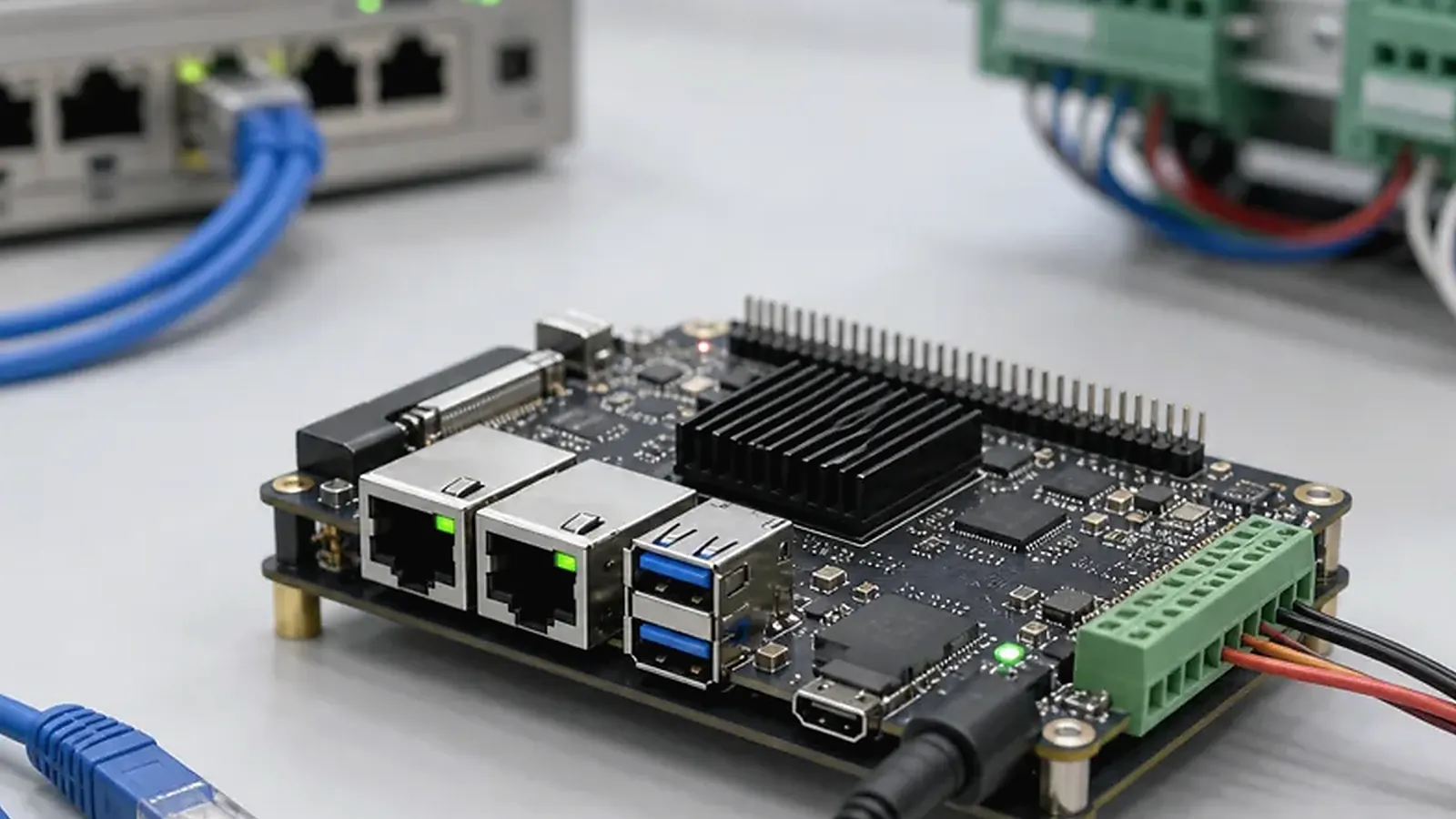
A Linux SBC is often selected for gateways, controllers, data collection devices, protocol bridges, and industrial interface products. These devices may not look impressive in a demo video, but they are expected to run for long periods, recover from power loss, communicate with equipment, and keep services alive without daily attention. That makes Linux SBC selection different from choosing a display board or a general development kit.
For Linux SBC for Gateway and Control Products, the strongest early test is not a dashboard screenshot. It is a long run with unstable network, real serial devices, power interruptions, log rotation, and a forced restart. That test exposes whether the gateway behaves like field equipment or only like a development bench.
For engineers, the discussion usually starts with interfaces and software control. For project managers, the real question is whether the device can be shipped, updated, and supported in the field. For procurement, the board must have a stable BOM, repeatable test method, and a supplier that can support pilot and production batches. All three views need to be part of the same selection process.
Start from the actual field role
A gateway product usually connects different networks or protocols. It may read Modbus over RS485, publish data over Ethernet or Wi-Fi, connect to cloud services with MQTT, store local data, and recover when the network is unstable. A control product may drive GPIO, relays, CAN, UART, or RS485 devices and must restart safely after an outage. A data logger may need reliable storage and careful log rotation more than CPU performance.
Write this role down before comparing SoCs. “Linux gateway” is still too broad. A useful description says how many Ethernet ports are needed, which serial protocols are used, whether isolation is required, whether LTE is needed, how data is buffered, how often logs are written, and what needs to happen when power fails. This information decides whether a standard board is enough or whether the project should move toward a custom SBC.
Build the interface map early
The interface list should be more detailed than a feature checklist. Ethernet may mean one LAN port, dual Ethernet, PoE through another module, or an internal switch. UART may mean debug, TTL communication, RS232, or RS485 with direction control. GPIO may mean simple status pins, opto-isolated inputs, relay outputs, or wake signals. USB may be used for service, storage, LTE, Wi-Fi, or a user-facing connector.
| Interface area | Questions to answer before board selection |
|---|---|
| Network | Ethernet count, Wi-Fi, Bluetooth, LTE, antenna position |
| Serial | UART, RS485, RS232, CAN, isolation, protocol timing |
| Control | GPIO, relays, inputs, LEDs, watchdog, wake signals |
| Storage | eMMC, SD card, log volume, database writes, recovery |
| Power | Input voltage, surge needs, restart after outage, standby |
| Mechanical | DIN rail, wall box, cable direction, service access |
This map helps avoid a common mistake: choosing a board that is close enough for a bench demo but awkward in production. If every unit needs adapters, external converters, hand-made cables, or a loose antenna board, the assembly cost and field risk may erase the saving from using a standard board.
Linux BSP and driver support
A Linux SBC for gateway and control work depends on practical BSP support. Ask about bootloader, kernel version, device tree, root filesystem, Ethernet driver, Wi-Fi and Bluetooth driver, USB behavior, UART and RS485 control, CAN support, GPIO access, storage, RTC, watchdog, and any special peripheral. The official Linux kernel documentation is useful background, but commercial products still depend on board-level validation.
Do not select by kernel version alone. A newer kernel can be attractive, but a tested BSP with working Ethernet, serial, storage, watchdog, and power recovery may be the safer production choice. Ask which functions have already been tested on the exact board, which functions are planned, and which ones require new driver work.
The root filesystem also matters. Some products use Debian-like environments because application development is faster. Others need a smaller image, read-only partitions, controlled services, or a custom build system. The supplier should understand the target maintenance model before promising a software package.
Services, watchdog, logs, and updates
Gateway and control products need predictable startup. After power is applied, the system should boot, start services in order, bring up network interfaces, connect to equipment, and recover from failures. Engineers should define whether services run under systemd, how they restart, where logs are written, and how the watchdog is enabled.
Log handling is easy to ignore during prototypes. In production, uncontrolled logs can fill storage or increase flash wear. If the product stores local data, decide whether the data partition is separate from the system partition, how much buffering is needed, and how the device behaves after sudden power loss. A gateway that loses configuration or corrupts its database after a power cut will create field support costs.
Update planning should be decided before launch. Some products only need factory flashing. Others require remote updates, rollback, or A/B image design. The right choice depends on the installation environment and the cost of servicing a failed unit. A small device installed in a locked cabinet may need a more careful recovery plan than a desktop product.
Platform direction and product fit
Some gateway and control projects fit Rockchip SBC platforms when they need more application headroom, display output, multimedia, or a path shared with Android products. Others fit Allwinner SBC platforms when cost, compact design, Linux control, audio, or focused I/O requirements are more important. The IoT Gateway solution page is a useful starting point when the project is still being defined.
The processor family should be chosen after the interface map and software scope are clear. CPU performance matters, but it is rarely the only bottleneck. Ethernet reliability, serial timing, storage behavior, thermal design, and supplier BSP support usually matter more for a product that runs unattended.
Production test expectations
A gateway test fixture needs to verify more than boot. It should check Ethernet, wireless if used, serial ports, GPIO, storage, RTC, watchdog, LEDs, power recovery, service startup, image version, MAC address or serial number, and product application behavior. If the product uses RS485 or CAN, the factory should test real communication, not only electrical continuity.
For pilot runs, keep a failure log with image version, hardware revision, test fixture version, and operator notes. This makes later debugging much easier. For a broader production view, read factory test coverage for embedded boards. For a more general board selection process, read embedded Linux board evaluation for field devices.
What to confirm before approving the board
Before approving a Linux SBC, ask the supplier for the exact hardware configuration, kernel version, supported interfaces, root filesystem base, flashing tool, update method, and known limitations. If the project uses an external module such as LTE, RS485, CAN, isolated I/O, or a sensor board, confirm whether that module has already been tested or whether it is new integration work.
Procurement should also ask which components are fixed and which have approved alternatives. A change in eMMC, Wi-Fi module, Ethernet PHY, PMIC, or connector can affect testing and sometimes Linux drivers. This conversation is much easier before the first pilot run than after a purchase order is placed.
The strongest approval is a sample running the real service, connected to real equipment, inside the intended enclosure or a close mechanical mock-up. If the board survives repeated power cycles, network loss, serial communication errors, and log-writing tests, the team has a much better basis for production than a simple boot screenshot.
Final recommendation
Choose a Linux SBC for gateway and control products by interface map, BSP maturity, service behavior, storage strategy, enclosure fit, production test method, and supply plan. The best board is not the one with the longest feature list. It is the one that can run the required services, recover from normal field failures, and be built repeatedly without manual fixes.
Frequently Asked Questions
What details are useful before we talk about a Linux SBC build?
Send the use case, OS preference, display or I/O list, enclosure limits, power input, wireless needs, target quantity, and timing. With that context, Avontek can suggest a Linux SBC hardware path that fits the real device instead of only comparing board specifications.
When is a custom SBC worth considering for a Linux SBC product?
A custom SBC is worth reviewing when the device needs a fixed PCBA outline, connector position, display interface, power input, wireless module, mounting method, or cost target that a catalog board cannot meet cleanly.
Can Avontek stay involved after Linux SBC samples are built?
Yes. Avontek can help with Linux SBC board choice, Android or Linux BSP discussion, peripheral checks, sample bring-up, test fixtures, image review, and factory coordination.