
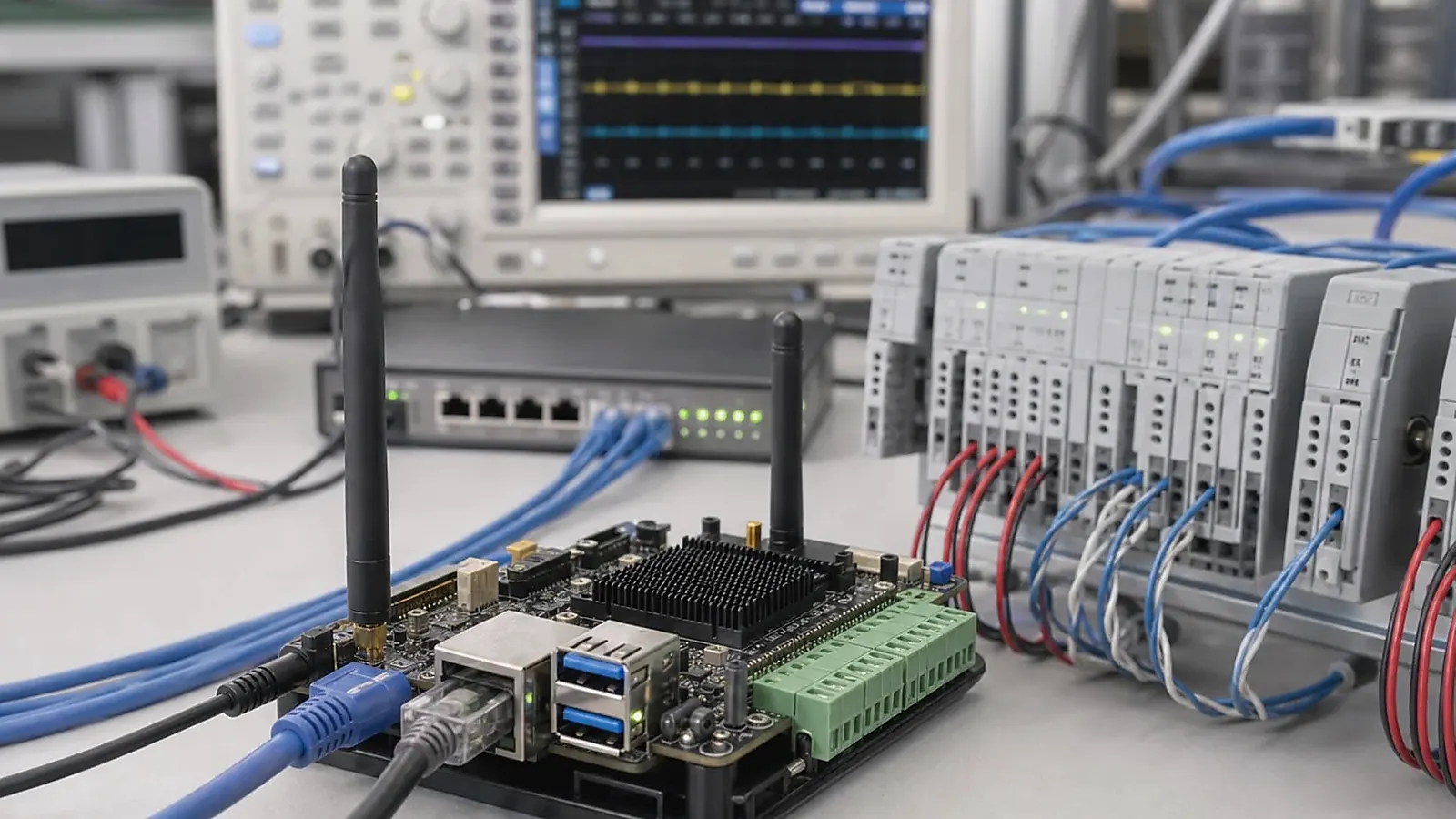
IoT gateway interface planning needs to happen before platform selection. A gateway product usually connects field devices, local networks, cloud services, sensors, industrial equipment, or building systems. Its value comes from reliable communication and stable software behavior, not from a long list of unused ports. If the interface plan is vague, the board selection will also be vague.
For IoT Gateway Interface Planning for Embedded Products, the strongest early test is not a dashboard screenshot. It is a long run with unstable network, real serial devices, power interruptions, log rotation, and a forced restart. That test exposes whether the gateway behaves like field equipment or only like a development bench.
Many gateway projects start from a Linux SBC because service startup, protocol processing, driver control, logs, and field maintenance are usually more important than a rich UI. Some projects also need display, touch, audio, or local status indicators, but the core decision is still about communication reliability and recoverable operation.
Define the gateway job
Start by writing what the gateway does. Does it collect data from meters over RS485? Does it translate Modbus to MQTT? Does it connect factory equipment to a local server? Does it buffer data when the cloud is unavailable? Does it provide Ethernet, Wi-Fi, LTE, Bluetooth, CAN, or USB device connections? Does it need to control local outputs or only read data?
This job description needs to cover what happens when something fails. Networks drop. RS485 devices stop responding. Cloud services go offline. Power is removed. Storage fills with logs. A gateway that cannot recover from ordinary field events will create support costs after deployment.
The IoT Gateway solution page helps organize requirements when the product is still early. For a board-level view, board requirements for Linux gateways and controllers is a useful companion article.
Map every interface to a function
Gateway projects often need Ethernet, Wi-Fi, Bluetooth, LTE, UART, RS485, RS232, CAN, GPIO, USB, storage, RTC, LEDs, buttons, power input, and sometimes display or audio. Each interface should be tied to a product function. This avoids selecting a board that has the right words on the datasheet but the wrong electrical or mechanical implementation.
| Interface | Planning questions |
|---|---|
| Ethernet | One port or two, LAN/WAN separation, PoE module, MAC handling |
| Wireless | Wi-Fi, Bluetooth, LTE, antenna position, certification path |
| RS485/RS232 | Port count, isolation, termination, protocol timing |
| CAN | Controller support, transceiver, protection, connector style |
| GPIO | Inputs, outputs, relays, LEDs, wake pins, isolation |
| USB | Service, storage, LTE module, user port, internal expansion |
| Storage | eMMC, SD, log volume, database writes, recovery method |
| Power | Input range, surge, power loss recovery, standby behavior |
This map needs review by engineering and procurement together. A wireless module substitution or Ethernet PHY change may look like a purchasing detail, but it can affect Linux drivers and validation.
Linux software planning
A gateway needs a controlled Linux software stack. Ask about bootloader, kernel version, device tree, root filesystem, service management, watchdog, log rotation, network recovery, update method, and remote access policy. The official Linux networking documentation is useful background, but a commercial gateway still needs board-specific BSP and driver validation.
The application architecture needs to match the field environment. If the gateway sends data to the cloud, decide how data is queued when the network is down. If it polls RS485 devices, decide timeout and retry behavior. If it stores logs, decide log limits and storage partitions. If the device can be updated remotely, decide rollback or recovery behavior before deployment.
Standard SBC or custom gateway board
A standard SBC is useful for software proof, protocol testing, and early field trials. A custom SBC becomes more practical when the final product needs fixed connector positions, terminal blocks, isolated interfaces, LTE module placement, antenna control, DIN-rail enclosure fit, wide-range power input, or lower assembly cost.
Platform selection can include Rockchip SBC or Allwinner SBC directions depending on performance, I/O, cost, display needs, audio needs, and lifecycle expectations. Rockchip may fit gateways that need more application headroom, display output, or a shared Android/Linux path. Allwinner may fit compact, cost-sensitive, or focused Linux/RTOS gateway directions.
Enclosure, wiring, and field service
Gateway boards are often installed in cabinets, machines, wall boxes, or equipment rooms. Connector direction, cable strain, terminal access, LED visibility, reset button position, antenna placement, and heat dissipation all matter. A board that is easy to test on the bench may be difficult to service once mounted.
Think about how technicians will identify failures. Status LEDs, labels, service ports, logs, and remote diagnostics can reduce support time. If the product has no display, these details become even more important.
Production test plan
Factory testing needs to verify each gateway function, not only power-on. Test Ethernet, wireless, serial ports, CAN if used, GPIO, storage, RTC, watchdog, power recovery, service startup, image version, MAC address, serial number, and product application. If the product uses Modbus, MQTT, or another protocol, include at least a controlled functional check in the test flow.
Pilot production should also test the enclosure, wiring, antenna position, and flashing process. For deployment and manufacturing details, read deployment validation for industrial gateways and gateway protocol architecture for MQTT and Modbus.
Field validation before pilot production
Before pilot production, test the gateway with real or representative field devices. Connect the expected RS485, CAN, Ethernet, Wi-Fi, LTE, USB, or GPIO equipment. Run the service for long enough to create logs. Disconnect the network, remove power, restart connected devices, and check whether the gateway recovers without manual intervention. These tests are closer to real deployment than a simple port check.
If the gateway is installed in a cabinet or equipment room, test it in the intended enclosure or a close mock-up. Antenna performance, heat, cable routing, terminal access, and LED visibility can change after installation. A gateway that works perfectly on a desk may be difficult to service once it is mounted.
Procurement and lifecycle checks
Procurement needs to confirm whether Ethernet PHY, wireless module, eMMC, PMIC, RS485/CAN transceivers, connectors, and terminal blocks have approved alternatives. These parts can affect driver support, test fixtures, and field reliability. For multi-year projects, component control needs to be part of the gateway platform decision, not a late purchasing task.
Ask the supplier how production units will be flashed, how MAC addresses or serial numbers are written, how test logs are kept, and how failed units are handled. A clear manufacturing process is especially important for gateways because many failures are not visible until communication tests run.
Common mistakes to avoid
The first mistake is counting ports without defining protocols and field wiring. The second is testing only in the office, with short cables and stable networks. The third is ignoring logs and storage until the gateway has already been deployed. Gateways often fail quietly, so diagnostics, status LEDs, remote logs, and recovery behavior should be designed into the product.
If the gateway will be installed by third parties, make connector labels, setup steps, and service access part of the design review.
Final recommendation
Plan an IoT gateway by field role, interface map, Linux BSP support, service behavior, enclosure fit, and production test method. Choose the board after the gateway job is clear. A reliable gateway is not the one with the most ports; it is the one that communicates correctly, recovers from normal failures, and can be built repeatedly for the same installation environment.
Frequently Asked Questions
What details are useful before we talk about an IoT Gateway build?
Send the use case, OS preference, display or I/O list, enclosure limits, power input, wireless needs, target quantity, and timing. With that context, Avontek can suggest a IoT Gateway hardware path that fits the real device instead of only comparing board specifications.
When is a custom SBC worth considering for an IoT Gateway product?
A custom SBC is worth reviewing when the device needs a fixed PCBA outline, connector position, display interface, power input, wireless module, mounting method, or cost target that a catalog board cannot meet cleanly.
Can Avontek stay involved after IoT Gateway samples are built?
Yes. Avontek can help with IoT Gateway board choice, Android or Linux BSP discussion, peripheral checks, sample bring-up, test fixtures, image review, and factory coordination.