
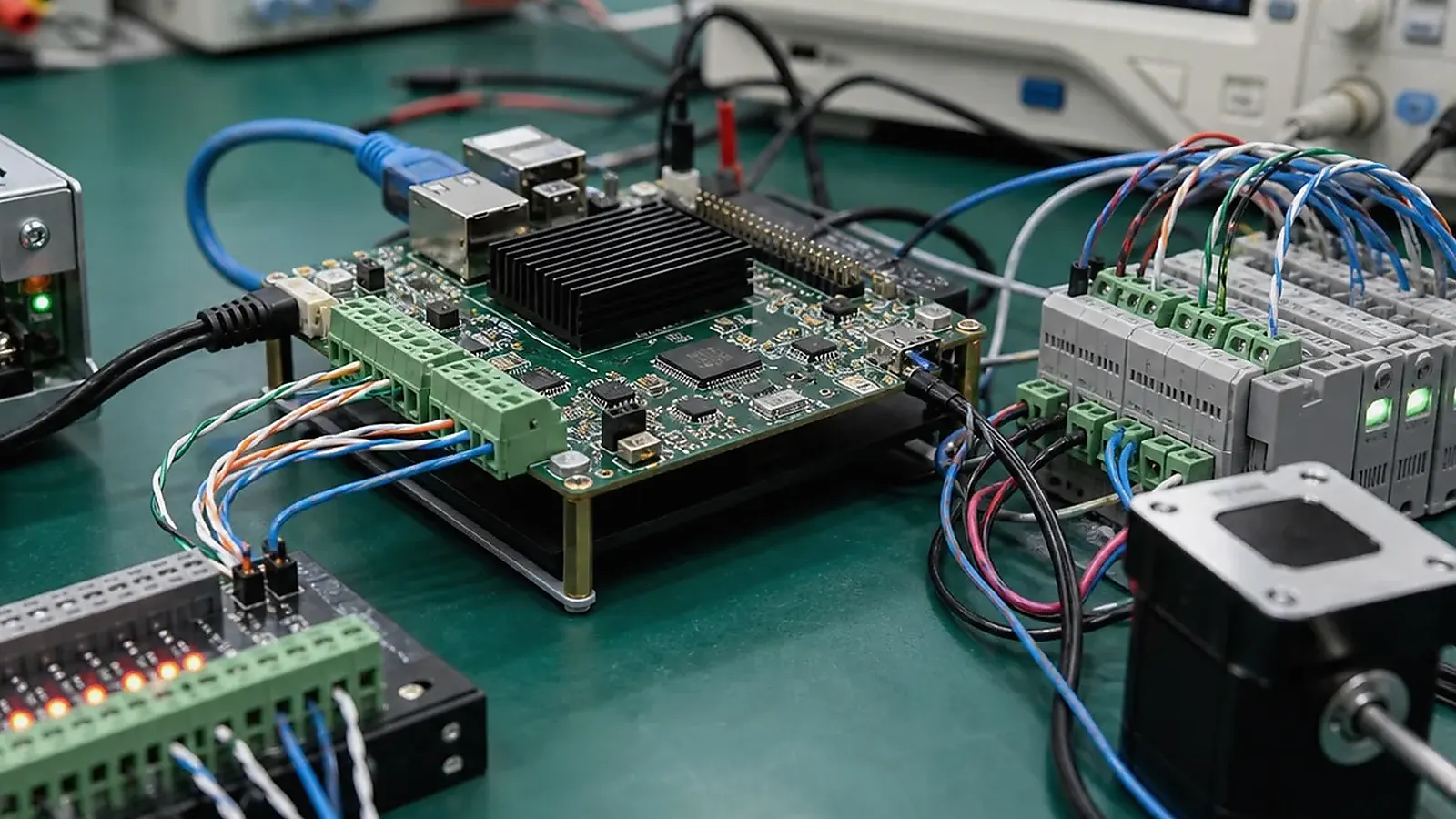
Industrial control interface planning needs to happen before board layout and before enclosure design is frozen. Ethernet, RS485, CAN, GPIO, USB, power input, isolation, and service ports are not just connector names. They define how the product connects to equipment, how installers wire it, how software communicates, and how the factory tests each unit.
Industrial control pages need a site-level review. For Industrial Control Interface Planning: Ethernet, RS485, CAN, GPIO, USB, and Power, consider cabinet temperature, cable length, grounding, power quality, RS485 or CAN noise, DIN or panel mounting, service access, and how a technician will replace the unit without guessing at wiring or firmware version.
For an Industrial Control SBC project, the interface list should be precise enough for engineering, procurement, and manufacturing to use. Vague requirements usually turn into adapter cables, layout revisions, or driver work.
Ethernet and network access
Ethernet planning should define port count, speed, connector position, static IP needs, service access, and whether the product needs one network for field devices and another for upstream connection. If the gateway or controller must work offline, define local behavior when Ethernet is disconnected.
For Linux-based products, network service startup, reconnect behavior, logs, and remote update method need to be part of the Linux SBC plan. If wireless is also required, antenna placement and enclosure materials matter.
For products installed by third parties, network commissioning should be documented. The installation team should know default IP behavior, reset method, indicator meaning, and how to confirm communication without opening the enclosure or using engineering tools.
RS485, RS232, and CAN
Serial interfaces are common in meters, PLCs, sensors, drives, and industrial equipment. RS485 planning needs to cover isolation, termination, biasing, connector type, cable length, and direction control. CAN planning needs to cover bitrate, protection, transceiver choice, node count, and software stack.
| Interface | Planning detail |
|---|---|
| RS485 | Isolation, termination, direction control, Modbus support |
| RS232 | Voltage level, connector, cable length, service use |
| CAN | Transceiver, bitrate, protection, protocol layer |
| GPIO | Voltage, input/output, protection, debounce, test method |
| USB | Host/device, service access, power budget, retention |
| Power | Input range, surge, reverse protection, restart behavior |
The official Modbus Organization site is useful background for Modbus protocol context, but the final product still needs correct board-level electrical and software implementation.
Protocol behavior needs testing with the real connected devices whenever possible. A serial port can pass an electrical loopback test and still fail because of timing, termination, baud rate, addressing, or protocol assumptions. Include the target PLC, meter, or controller in pilot validation.
GPIO and control signals
GPIO should be defined by function. Inputs may need pull-ups, isolation, debounce, or protection. Outputs may need drive capability, relay control, LEDs, or level shifting. The factory should have a way to test each GPIO without relying on manual inspection.
If the product uses relays or external loads, review current, voltage, contact rating, protection, and failure behavior. GPIO mistakes are difficult to catch late because they can affect hardware, firmware, and field wiring.
Input and output naming should be consistent across schematic, PCB silkscreen, enclosure label, software configuration, and user documentation. When names drift between documents, installers and support teams lose time diagnosing wiring that may actually be correct.
Connector layout and field wiring
Connector placement needs to match how technicians install the product. Terminal blocks need spacing and readable labels. Service ports should be accessible. Field wiring should not cross display cables or sensitive antenna areas. If the standard board creates awkward routing, a Custom SBC may reduce long-term service problems.
Procurement needs to confirm connector availability and alternates. A connector change can affect enclosure openings, cable assemblies, and production test fixtures.
Wiring labels need review during pilot installation. Labels that look clear in CAD may be hard to read in a cabinet or behind cable bundles. If installers frequently reverse wires, strain cables, or need extra adapters, the connector plan should be corrected before production.
Test planning
Each interface needs a test method. Ethernet can use link and data tests. RS485 and CAN can use loopback or fixture devices. GPIO can use fixture inputs and outputs. USB can use known test devices. Power needs testing for startup, restart, and expected input range.
For related reading, see communications and factory tests for industrial HMI and factory test coverage for embedded boards.
The test report should record which fixture, cable, firmware, and image version were used. This matters when a later batch fails a field interface and the team needs to know whether the product changed or the test setup changed.
Before production, review the interface list with manufacturing. The factory needs fixture access, test cables, known-good loads, and clear pass/fail limits. If the board cannot be tested efficiently, the interface design should be adjusted before release.
For field support, keep a connector map with pin definitions, voltage levels, cable color notes, and test procedure. This document is useful for installers, distributors, and service teams when a unit must be diagnosed outside the original engineering lab.
Label wording deserves an early check. A terminal marked “A/B” on one customer drawing and “D+/D-” on another can create installation mistakes even when the circuit is correct. Align the schematic, enclosure label, manual, and test fixture naming before pilot production.
Final recommendation
Plan industrial interfaces from field wiring, software behavior, and factory testing together. A clean interface plan reduces adapters, driver surprises, installation errors, and production failures.
Frequently Asked Questions
What details are useful before we talk about an Industrial Control build?
Send the use case, OS preference, display or I/O list, enclosure limits, power input, wireless needs, target quantity, and timing. With that context, Avontek can suggest a Industrial Control hardware path that fits the real device instead of only comparing board specifications.
When is a custom SBC worth considering for an Industrial Control product?
A custom SBC is worth reviewing when the device needs a fixed PCBA outline, connector position, display interface, power input, wireless module, mounting method, or cost target that a catalog board cannot meet cleanly.
Can Avontek stay involved after Industrial Control samples are built?
Yes. Avontek can help with Industrial Control board choice, Android or Linux BSP discussion, peripheral checks, sample bring-up, test fixtures, image review, and factory coordination.