
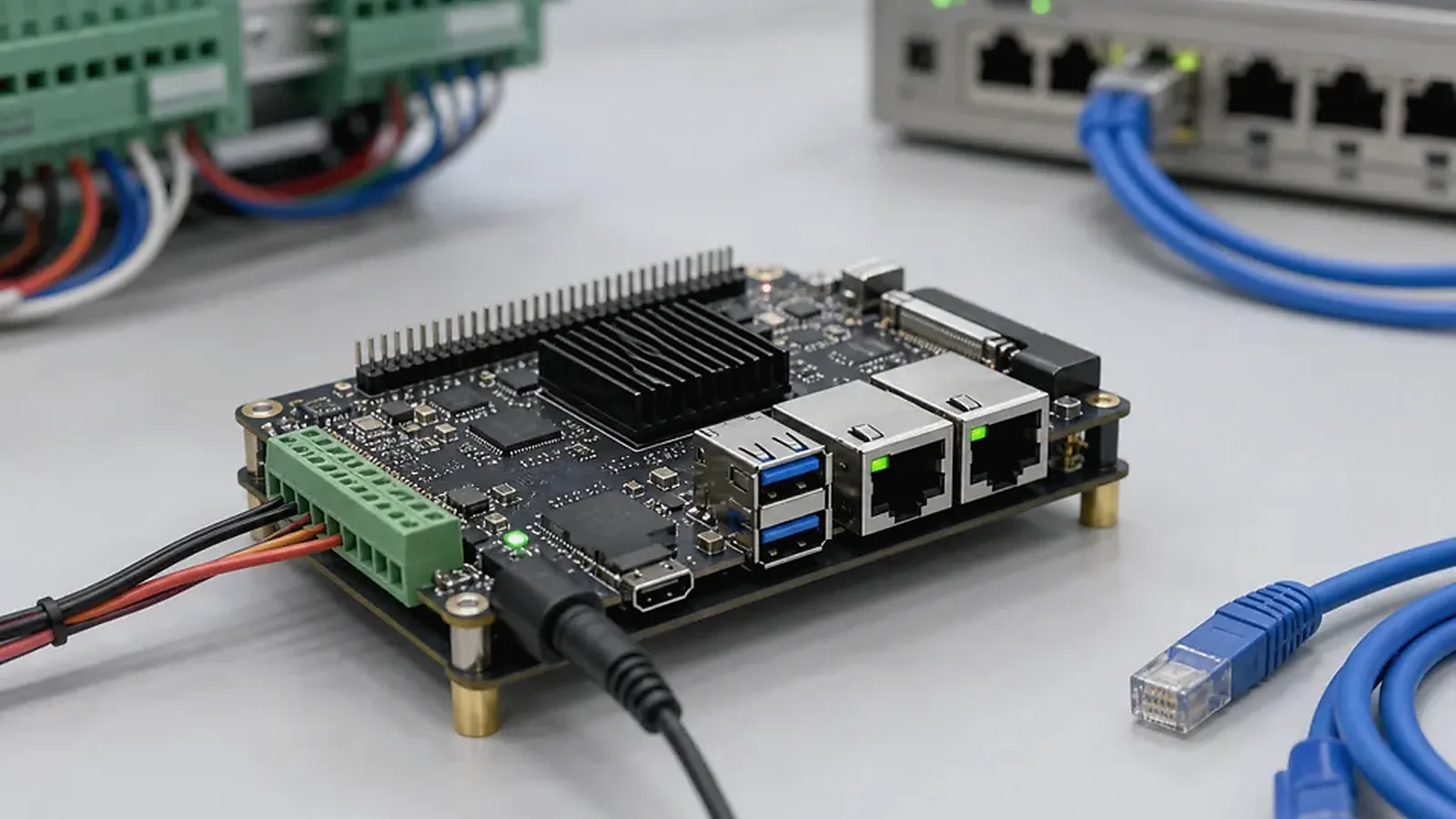
Choosing a Linux SBC for an embedded product is usually about reliability, interfaces, software control, and production fit. Unlike Android products, where the visible UI often drives the decision, Linux products often run background services, protocol conversion, data collection, device control, or industrial communication. The right board is the one that supports the required I/O, boots predictably, runs the software stack cleanly, and can be supplied and tested for repeat production.
A useful Linux SBC review is to boot the proposed image with the actual service list, then interrupt power during log writes and network traffic. For How to Choose a Linux SBC for Embedded Products, this kind of test tells more than a clean lab boot: it shows whether watchdog, filesystem protection, startup order, and remote access are ready for unattended field operation.
Linux SBC projects commonly include IoT gateways, industrial controllers, equipment interfaces, edge devices, communication terminals, data loggers, and service-oriented embedded systems. Some products need a display and touch panel, but many do not. That difference should change how the board is evaluated.
Start from the product role
Before comparing processors, describe what the product does. A gateway may need Ethernet, Wi-Fi, Bluetooth, RS485, CAN, local storage, and a background service that starts after boot. An industrial control product may need stable GPIO, UART, watchdog behavior, power recovery, and long-running operation. A display terminal may need Linux plus screen, touch, audio, and application UI.
This product role decides whether the project should start from a standard Linux SBC, an Industrial SBC, or a Custom SBC. If the device is field-installed, wired into equipment, or expected to run unattended, reliability and service behavior should matter more than a headline CPU score.
Build the interface list early
Most Linux SBC problems come from incomplete interface planning. A team may choose a board because it has Ethernet and serial ports, then later discover that the final product needs two isolated RS485 ports, a specific CAN interface, a different power connector, an internal Wi-Fi module, or a case-friendly terminal block. These details affect board layout and BSP work.
| Requirement area | What to confirm |
|---|---|
| Network | Ethernet count, Wi-Fi, Bluetooth, LTE, antenna location |
| Serial/control | UART, RS485, RS232, CAN, GPIO, relays, isolation |
| USB/storage | USB host/device, eMMC, SD card, logs, local database |
| Display | HDMI, LVDS, MIPI, RGB, touch if UI is required |
| Power | Input voltage, restart after outage, surge, standby needs |
| Mechanics | Board outline, mounting holes, connector direction, cable access |
Each interface should be tied to a function. “Need UART” is less useful than “one UART for debug, one RS485 for Modbus, one TTL UART for an internal module.” Engineers and procurement should review this list together because the selected ICs and modules also affect availability and cost.
This is also where many projects find out that a standard board is almost right but not quite production-friendly. A USB-to-RS485 adapter may be fine during software development, but it is rarely a good permanent answer inside a field product. The same is true for jumper wires, external antenna boards, loose power converters, and hand-modified cables. If the final unit needs these additions every time it is assembled, the team should at least compare the cost and risk against a Custom SBC design.
Confirm kernel, BSP, and driver direction
A Linux SBC is only practical if the software support matches the hardware. Ask about bootloader, Linux kernel version, device tree, root filesystem, driver status, flashing method, and update path. The official Linux kernel documentation is useful for understanding kernel concepts, but commercial embedded products depend on board-level BSP support and practical driver integration.
Important driver questions include Ethernet, Wi-Fi, Bluetooth, USB, UART, GPIO, CAN, RS485 control, storage, audio, display, touch, RTC, watchdog, and any product-specific module. If the board uses a standard module already supported by the BSP, the project is easier. If the product changes chips or adds new peripherals, include driver work in the schedule.
It is also useful to ask what part of the Linux stack is treated as a product deliverable. Some suppliers provide only a bootable image. Others can provide kernel configuration, device tree changes, root filesystem customization, startup service setup, test scripts, and production flashing support. For a hobby project this distinction may not matter much. For a commercial product, it affects debugging speed, maintenance, and responsibility when the first field problem appears.
Engineers should be careful with kernel version discussions. A newer kernel sounds attractive, but a mature BSP with tested Ethernet, serial, watchdog, storage, and power recovery may be a better production choice than a newer branch with missing peripheral validation. The right question is not simply “which kernel is newest?” It is “which kernel and BSP combination has been validated on this exact board for the functions we need?”
Compare Rockchip and Allwinner for Linux products
Rockchip Linux SBC platforms can fit products that need stronger application performance, display output, multimedia, multiple interfaces, or a familiar Linux/Android platform path. A Rockchip SBC direction may be suitable for edge devices, industrial displays, smart terminals, gateways, and control products with more processing headroom.
Allwinner Linux platforms may fit cost-sensitive gateway, control, audio, or compact connected products. An Allwinner SBC direction can make sense when the project has a controlled interface set and cost target. The comparison needs to cover BSP maturity, interface support, supply, thermal design, and production testing, not only processor family.
Check boot, services, and updates
For Linux products, boot behavior often matters more than the desktop environment. Confirm boot time, service startup order, watchdog use, logging, filesystem protection, network recovery, and what happens after sudden power loss. A gateway or controller should recover without manual intervention.
Update planning should also be defined early. Some projects need remote updates; others use factory-only image flashing. Some need a read-only root filesystem or A/B update design; others only need a controlled image and clear version tracking. The correct approach depends on field risk and maintenance model.
What separates a good Linux SBC product from a fragile one
A good Linux product usually has a boring startup path. Power is applied, the bootloader loads the image, required services start in the right order, network interfaces recover, logs are controlled, the watchdog is enabled, and the application can restart without a technician connecting a keyboard. None of this looks exciting in a datasheet, but it is what keeps gateways and controllers running in cabinets, vehicles, machines, and building systems.
Storage handling deserves special attention. If the product writes logs or a local database frequently, decide where that data goes and how it is protected. Sudden power loss can corrupt poorly designed file systems or leave the application in an unknown state. Some projects need read-only system partitions, limited log rotation, or a separate data partition. Others only need a clear factory reset and image recovery method. The board selection should leave room for the chosen strategy.
Think about enclosure and production
A board that works on the bench may still be awkward in the final product. Connector direction, cable strain, antenna placement, heat source location, terminal access, debug port access, and mounting holes can affect assembly and field service. If adapters are required for every unit, the standard board may not be production-friendly.
Production testing needs to verify all interfaces, service startup, network behavior, serial communication, GPIO, storage, watchdog, and image version. For more detail, read factory test coverage for embedded boards. If the project is primarily a gateway or controller, board requirements for Linux gateways and controllers is also a useful companion article.
Supplier questions before sample approval
Before approving samples, ask the supplier to confirm the Linux distribution or root filesystem base, kernel version, bootloader, supported interfaces, flashing tool, default login or access method, image update process, and source or binary delivery policy. If the product uses RS485, CAN, LTE, isolated I/O, or a special sensor, ask whether that function has already been tested or whether it is new work.
Procurement should also ask about component alternatives before volume orders. A change in Ethernet PHY, Wi-Fi module, eMMC, PMIC, or touch controller can be invisible in a sales quotation but very visible in the Linux BSP. A professional supplier should be able to explain which components are fixed, which have approved alternatives, and which substitutions would require software revalidation.
Final selection checklist
Before choosing a Linux SBC, confirm:
- Product role, installation environment, and expected lifetime.
- Ethernet, serial, wireless, GPIO, storage, display, and power requirements.
- Kernel, BSP, driver, root filesystem, and flashing support.
- Boot behavior, service startup, watchdog, logs, and update plan.
- Enclosure fit, connector direction, antenna position, and cable routing.
- Production test method and follow-up supply plan.
The best Linux SBC is not necessarily the most powerful board. It is the board that reduces risk across hardware, software, enclosure, testing, and supply.
Frequently Asked Questions
What details are useful before we talk about a Linux SBC build?
Send the use case, OS preference, display or I/O list, enclosure limits, power input, wireless needs, target quantity, and timing. With that context, Avontek can suggest a Linux SBC hardware path that fits the real device instead of only comparing board specifications.
When is a custom SBC worth considering for a Linux SBC product?
A custom SBC is worth reviewing when the device needs a fixed PCBA outline, connector position, display interface, power input, wireless module, mounting method, or cost target that a catalog board cannot meet cleanly.
Can Avontek stay involved after Linux SBC samples are built?
Yes. Avontek can help with Linux SBC board choice, Android or Linux BSP discussion, peripheral checks, sample bring-up, test fixtures, image review, and factory coordination.