
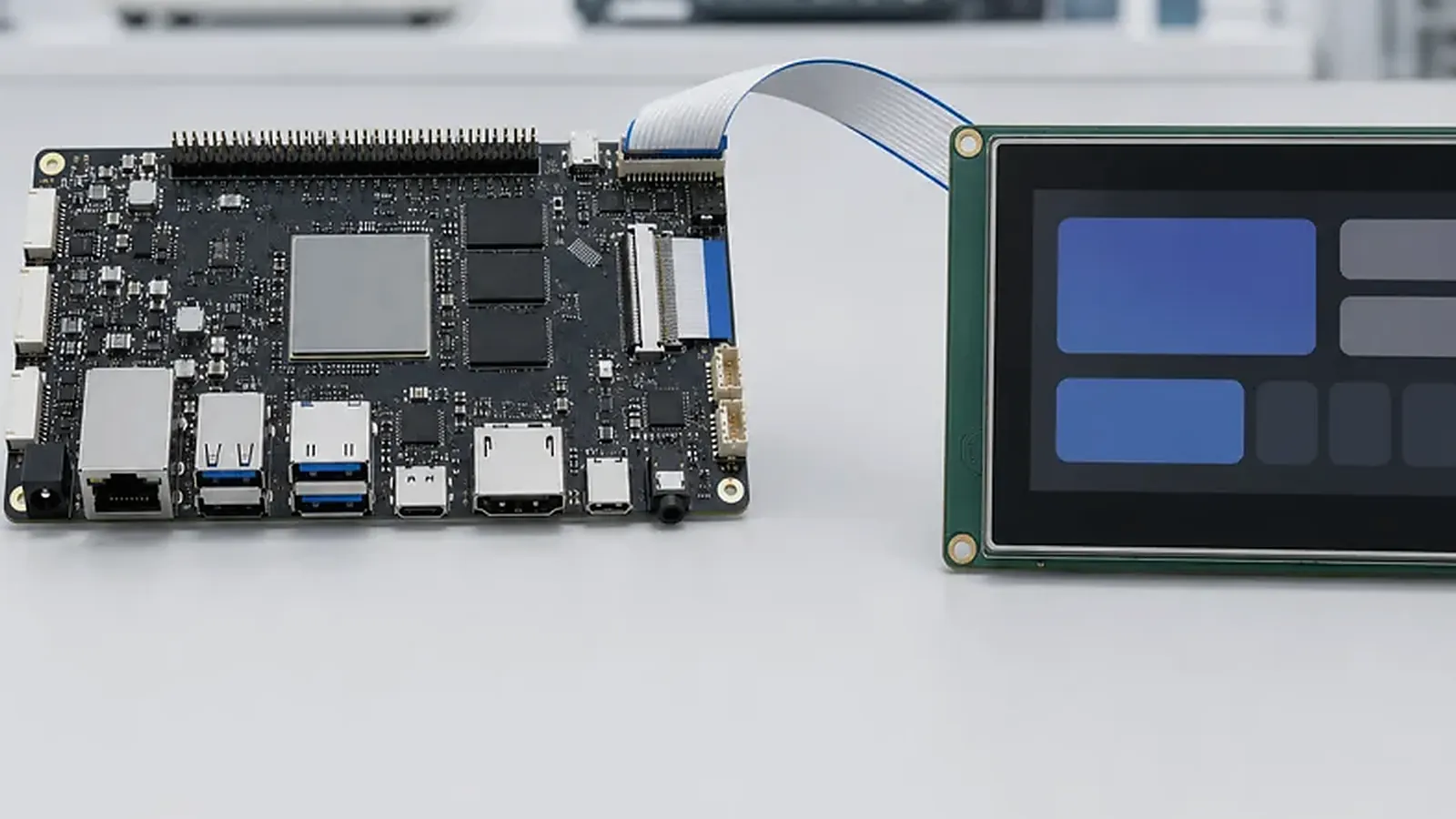
Choosing an Android SBC is not the same as choosing a development board. A development board helps engineers verify a processor, run a demo image, and connect basic peripherals. A production Android SBC has to support a real product: screen, touch, app workflow, wireless modules, enclosure fit, power behavior, factory testing, and repeatable supply. The best board is usually the one that reduces integration risk, not the one with the longest specification table.
One detail worth checking early is the factory image flow. For How to Choose an Android SBC for Embedded Products, the team should know who builds the Android image, how MAC addresses or serial numbers are written, whether the customer app is preloaded, and how failures are logged during flashing. That is the difference between a good demo and a repeatable Android SBC shipment.
For product teams building an HMI, smart terminal, control panel, kiosk-style device, commercial display, or connected touchscreen product, Android is often attractive because the UI layer is familiar and application development can move quickly. The hardware decision still needs discipline. A weak early choice can push cost into BSP changes, driver debugging, mechanical rework, or production test problems.
Start from the product workflow
Before comparing SoCs, define what the product actually does. A room control panel may need fast touch response, Wi-Fi, Bluetooth, audio, and a clean boot into one main app. A payment terminal may need camera, secure peripheral integration, USB devices, and stricter sleep behavior. An industrial HMI may need stable Ethernet, serial interfaces, long display availability, and predictable power recovery after outages.
This workflow changes the board direction. If the product is UI-heavy, start from an Android SBC that already has display, touch, media, and app startup support. If the same product also needs unusual mounting holes, connector positions, or a fixed enclosure shape, plan the discussion with Custom SBC requirements early instead of forcing a standard board into a finished housing.
Match the display and touch first
Many Android SBC projects succeed or fail around the screen. The board must support the display interface, resolution, orientation, backlight control, touch controller, cover glass behavior, and cable routing. Engineers need to confirm whether the project needs MIPI DSI, LVDS, RGB, HDMI, eDP, or another interface. Procurement should also confirm whether the screen can be supplied for the product lifetime.
| Requirement | What to confirm before board selection |
|---|---|
| Display interface | MIPI, LVDS, RGB, HDMI, eDP, resolution, refresh rate |
| Touch panel | I2C/USB controller, multi-touch, noise behavior, cover glass |
| Boot display | Logo timing, rotation, flicker, backlight control |
| Enclosure | Cable length, connector direction, mounting space |
| Production | Display supplier, replacement plan, test fixture method |
If the screen is already fixed, send the display datasheet and touch controller information before selecting the board. If the screen is not fixed, board and display selection need to happen together. This is especially important for Android HMI and smart terminal products where the visible UI is the product experience.
Define Android BSP scope clearly
Android BSP work includes more than booting Android. It may involve device tree changes, kernel configuration, display and touch bring-up, Wi-Fi and Bluetooth modules, Ethernet, camera, audio codec, USB behavior, storage, permissions, launcher behavior, boot logo, default app startup, system image preparation, and production flashing. The official Android Open Source Project documentation is useful background, but embedded products still depend on board-level adaptation from the SoC vendor and hardware supplier.
The buying team should ask what is already supported on the selected platform and what requires new engineering work. “Android supported” is too broad. A useful answer names the Android version, supported peripherals, display status, driver status, flashing method, known limitations, and what deliverables are included.
In real projects, the most expensive misunderstanding is often hidden in one short sentence in the RFQ. For example, “support our app” may only mean the APK can be installed, while the product team actually expects automatic startup, a locked navigation bar, controlled permissions, fixed screen rotation, silent update behavior, and recovery after power loss. “Support display” may mean the supplier has tested one panel in the lab, not that the exact customer display, touch controller, cable length, and boot logo timing are already validated.
Compare Rockchip and Allwinner by fit, not brand
Rockchip Android SBC platforms are often considered for products that need stronger UI performance, multimedia, camera, higher display requirements, or a familiar Android board direction. For example, many teams compare Rockchip SBC options when developing HMI devices, smart terminals, edge displays, and commercial touchscreen products.
Allwinner Android boards may fit cost-sensitive display products, simple terminals, and projects where the interface set is modest and the target cost matters. If cost control is central, compare Allwinner SBC options with the same discipline: Android version, display support, touch, wireless module, supply plan, and production test method.
The right choice is not permanent across all projects. A compact Android display product with one screen and limited peripherals may fit a PX30 SBC direction instead of a high-performance processor. A terminal with a large screen, camera, audio, and multiple apps should not be forced onto a platform that creates software risk.
Check I/O, wireless, and power behavior
List every required interface before board selection. Android terminals often need USB, UART, GPIO, audio, camera, Ethernet, Wi-Fi, Bluetooth, speaker, microphone, storage, RTC, LEDs, keys, and sometimes RS485 or CAN through external devices. Each interface should be assigned a purpose. “Need USB” is not enough; the supplier needs to know whether it is host, device, OTG, internal module, service port, or exposed user connector.
Power behavior also matters. Confirm input voltage, power sequencing, sleep/wake requirements, battery or backup needs, restart after power loss, thermal environment, and peak current when wireless and display are active. These details affect both standard SBC selection and custom board design.
Common mistakes we see in Android SBC selection
One common mistake is choosing the board after the enclosure is already finished. The team then discovers that the LCD cable exits in the wrong direction, the USB service port is blocked, or the antenna position is poor. Another common mistake is selecting a board from a demo video without checking whether the demo uses the same Android version, display resolution, memory size, and wireless module as the production plan.
Project managers should also watch for “prototype success” being treated as “production readiness.” One working sample only proves that the direction may be viable. It does not prove that the BOM is controlled, the image can be flashed repeatedly, the unit can recover after power loss, or the test team can catch failures before shipping.
Evaluate production readiness
A board that works on an engineer’s bench may still be incomplete for shipment. Production readiness includes controlled BOM, stable image flashing, serial number or MAC address handling, test points, functional test software, packaging, firmware version control, and issue feedback. For a project moving beyond prototypes, read factory test coverage for embedded boards and prepare test expectations early.
Procurement should ask whether the supplier can support sample debugging, pilot runs, and follow-up batches. Engineers should ask how defects will be reproduced and how BSP changes will be tracked. Project managers should ask what information is needed before quoting development, customization, and production.
What to send before asking for a quote
The fastest quotations usually come from teams that send usable product information at the beginning. A good RFQ package does not need to be long, but it needs to cover the product type, target screen size and resolution, display and touch datasheets if already selected, operating system version expectation, main application workflow, interface list, wireless requirements, power input, enclosure drawing if available, estimated annual quantity, sample schedule, and any branding or label requirements.
For an early sample order, ask the supplier to state exactly what is included: board model, memory and storage, Android version, display support, touch support, wireless module, power supply, cables, debug method, flashing tool, test image, and known limitations. This makes the sample stage a real evaluation instead of a casual unboxing.
A practical selection checklist
Use this checklist before locking the Android SBC:
- Product type, screen size, resolution, orientation, and touch controller are defined.
- Android version, BSP deliverables, boot behavior, app startup, and permissions are confirmed.
- Wi-Fi, Bluetooth, Ethernet, USB, camera, audio, UART, GPIO, storage, and other interfaces are mapped.
- Mechanical constraints, connector direction, cable routing, and mounting holes are checked.
- Power input, sleep/wake, thermal condition, and restart behavior are clear.
- Standard board, custom board, or complete product direction has been compared.
- Production test method, flashing process, labels, and follow-up supply are planned.
If the project is still between Android and Linux, read operating-system choice for embedded SBCs. If Android is already the direction, the next step is to turn product requirements into a board requirement list and compare them against an Android SBC platform that can be supported through development and production.
Frequently Asked Questions
What details are useful before we talk about an Android SBC build?
Send the use case, OS preference, display or I/O list, enclosure limits, power input, wireless needs, target quantity, and timing. With that context, Avontek can suggest a Android SBC hardware path that fits the real device instead of only comparing board specifications.
When is a custom SBC worth considering for an Android SBC product?
A custom SBC is worth reviewing when the device needs a fixed PCBA outline, connector position, display interface, power input, wireless module, mounting method, or cost target that a catalog board cannot meet cleanly.
Can Avontek stay involved after Android SBC samples are built?
Yes. Avontek can help with Android SBC board choice, Android or Linux BSP discussion, peripheral checks, sample bring-up, test fixtures, image review, and factory coordination.