
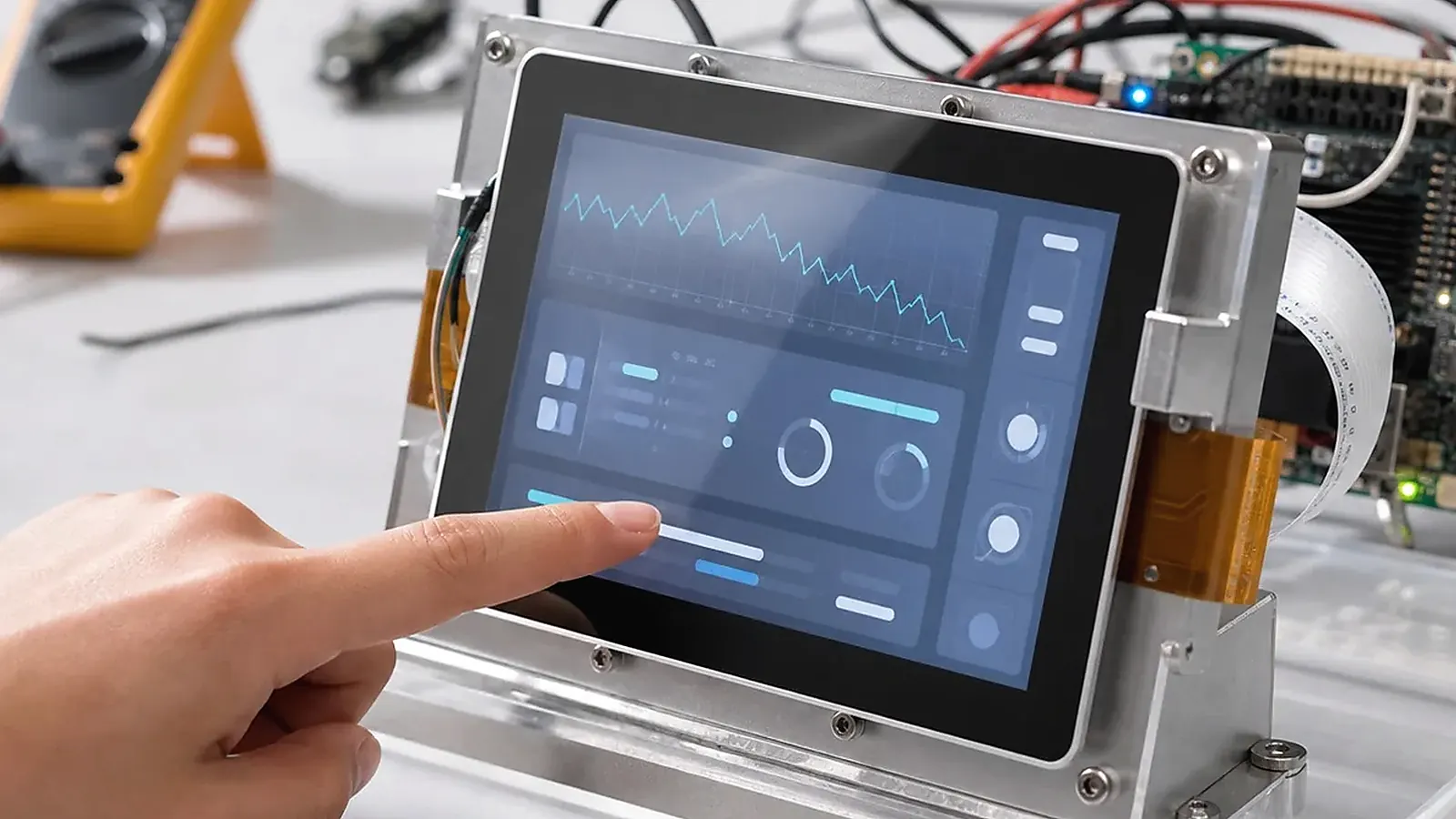
An HMI board is not just a display carrier. It connects the user interface, touch panel, operating system, field interfaces, enclosure, power design, and production test process. A good HMI product feels simple to an operator, but that simplicity depends on many hardware and software decisions made before the first pilot run.
For HMI Board Design for Touch Display Products, ask for evidence around the exact display and touch stack. A board may support LVDS, MIPI, RGB, or HDMI in general, but the real question is whether the selected panel, backlight, touch controller, orientation, and cable length have been tested together.
The right direction depends on display size, touch controller, UI complexity, installation environment, processor platform, I/O requirements, BSP support, and lifecycle plan. Some HMI products are close to Android terminals. Others behave more like industrial Linux controllers with a screen attached. Treating all HMI devices the same is one of the fastest ways to choose the wrong board.
Start from the operator workflow
Before selecting a board, describe what the operator actually does. Do they adjust settings, monitor equipment, acknowledge alarms, view charts, scan codes, enter passwords, or trigger local control actions? Is the screen used every minute, or only during setup and maintenance? Does the device sit in a clean office, a hotel room, a factory machine, or an outdoor cabinet?
This workflow decides whether the project should start from an Android SBC, a Linux SBC, or a product-specific Custom SBC. Rich graphical UI, media, app workflow, and language switching often point toward Android. Stable equipment control, serial communication, watchdog behavior, logs, and service startup often point toward Linux. A fixed enclosure or special connector layout may require custom hardware regardless of OS.
Display and touch define much of the design
For HMI products, display and touch needs review before the board decision is locked. Confirm display interface, resolution, brightness, viewing angle, orientation, backlight control, boot logo timing, touch controller, cover glass, cable direction, and expected supply life. MIPI, LVDS, RGB, HDMI, and eDP requirements affect both board layout and BSP work.
Touch behavior needs testing in the final physical stack. Cover glass thickness, LCD noise, grounding, cable length, and enclosure material can affect stability. A touch panel that works on an open bench can behave differently after it is installed behind glass or inside a metal cabinet. For industrial or public-facing HMI devices, this testing is not optional.
| HMI design area | What to check early |
|---|---|
| Display | Interface, resolution, brightness, orientation, lifecycle |
| Touch | Controller, cover glass, grounding, cable length, noise |
| Software | Android or Linux, boot behavior, app startup, update method |
| Interfaces | Ethernet, USB, UART, RS485, CAN, GPIO, audio, camera |
| Mechanics | Enclosure, mounting holes, connector direction, heat |
| Production | Flashing, functional test, labels, failure records |
Android HMI or Linux HMI
Android HMI boards are often selected when the interface is the main product experience. They are useful for modern dashboards, room panels, service terminals, medical or commercial screens, and devices that need a familiar app environment. Android planning needs to cover app auto-start, permissions, navigation restrictions, boot logo, touch response, display rotation, wireless setup, and OTA policy.
Linux HMI boards are often selected when the device is closer to equipment control. They may run a Qt application, web UI, local service, or custom interface while also handling Ethernet, serial ports, GPIO, storage, and watchdog. Linux planning needs to cover kernel and driver support, device tree, service startup, logs, filesystem protection, power recovery, and field maintenance.
The official Qt for embedded systems resources are useful background for Linux HMI application planning, but the board decision still depends on display, touch, BSP, and hardware validation.
Interfaces and installation environment
Many HMI products need more than a screen. They may require Ethernet, Wi-Fi, Bluetooth, USB, UART, RS485, CAN, GPIO, audio, camera, keys, LEDs, relays, or sensor inputs. Each interface should be tied to a function. “Need RS485” should say whether it talks to a PLC, meter, HVAC controller, or internal module. “Need USB” should say whether it is for service, user devices, storage, scanner, or internal expansion.
Installation environment also matters. A panel mounted in a machine housing may need stronger power protection, cable strain relief, and service access. A wall-mounted commercial HMI may care more about appearance, brightness, Wi-Fi, and user interaction. A production board needs to match the real installation, not only the lab setup.
Standard board or custom HMI board
A standard HMI-capable SBC is useful for early UI development and proof of concept. A custom HMI board becomes more practical when the enclosure, display connector, mounting holes, cable direction, field wiring, wireless module, or production cost is fixed. If the product already has a mechanical design, involve the board supplier before plastic or metal parts are finalized.
For platform planning, the HMI solution page is useful when the project starts from application requirements instead of a fixed SoC. For a focused HMI platform comparison, read HMI operating-system architecture comparison and communications and factory tests for industrial HMI.
Production testing and release
HMI production testing needs to verify display, touch, backlight, audio if used, network, USB, serial ports, GPIO, storage, wireless, boot behavior, app startup, image version, and labels. If the product uses a specific display and touch panel, the test fixture should catch mismatches before shipment. If the product is installed in an enclosure, pilot units need testing in that enclosure, not only as open boards.
Release needs to cover a stable image, flashing method, known limitations, test procedure, approved BOM, and issue feedback process. A prototype that boots and shows the UI is not yet a production-ready HMI.
Sample validation checklist
Before approving an HMI board, run the real UI or a close prototype on the target display. Check boot time, screen rotation, touch response, brightness, backlight control, UI smoothness, network behavior, and recovery after power loss. If the device uses RS485, CAN, GPIO, USB peripherals, speaker, microphone, or camera, test those functions with the real accessories rather than only checking connectors.
Mechanical validation needs to happen at the same time. Install the board behind the display or inside the intended enclosure. Check cable bend radius, connector access, heat, touch stability, screw clearance, and whether technicians can reach service ports. Many HMI issues appear only after the board, display, touch glass, and enclosure are assembled together.
Procurement needs to confirm display lifetime, touch controller consistency, memory and storage alternatives, wireless module availability if used, and whether any component substitution would require BSP revalidation. A low-cost display change near production can become expensive if it breaks touch behavior or boot display timing.
RFQ details that help suppliers
A useful HMI inquiry needs to cover screen size, resolution, display interface, touch controller, operating system, UI workload, interface list, installation environment, power input, enclosure drawing, target quantity, and expected launch date. If the UI already exists, share screenshots or a demo video. If the HMI replaces an older product, include the old product photos and the reason for redesign.
This information helps the supplier recommend a board direction instead of sending a generic SBC list. It also helps separate standard board opportunities from custom board projects early.
A small sample test is to leave the HMI running the real screen for several hours with the backlight at the expected setting. Check touch drift, heat near the LCD cable, Wi-Fi signal if used, and whether the UI still responds after repeated sleep and wake cycles.
Final recommendation
Design an HMI board around the operator workflow, display and touch stack, OS direction, field interfaces, enclosure, BSP support, and production test process. The best board is the one that makes the final device reliable, pleasant to use, and repeatable to build.
Frequently Asked Questions
What details are useful before we talk about an HMI build?
Send the use case, OS preference, display or I/O list, enclosure limits, power input, wireless needs, target quantity, and timing. With that context, Avontek can suggest a HMI hardware path that fits the real device instead of only comparing board specifications.
When is a custom SBC worth considering for an HMI product?
A custom SBC is worth reviewing when the device needs a fixed PCBA outline, connector position, display interface, power input, wireless module, mounting method, or cost target that a catalog board cannot meet cleanly.
Can Avontek stay involved after HMI samples are built?
Yes. Avontek can help with HMI board choice, Android or Linux BSP discussion, peripheral checks, sample bring-up, test fixtures, image review, and factory coordination.