
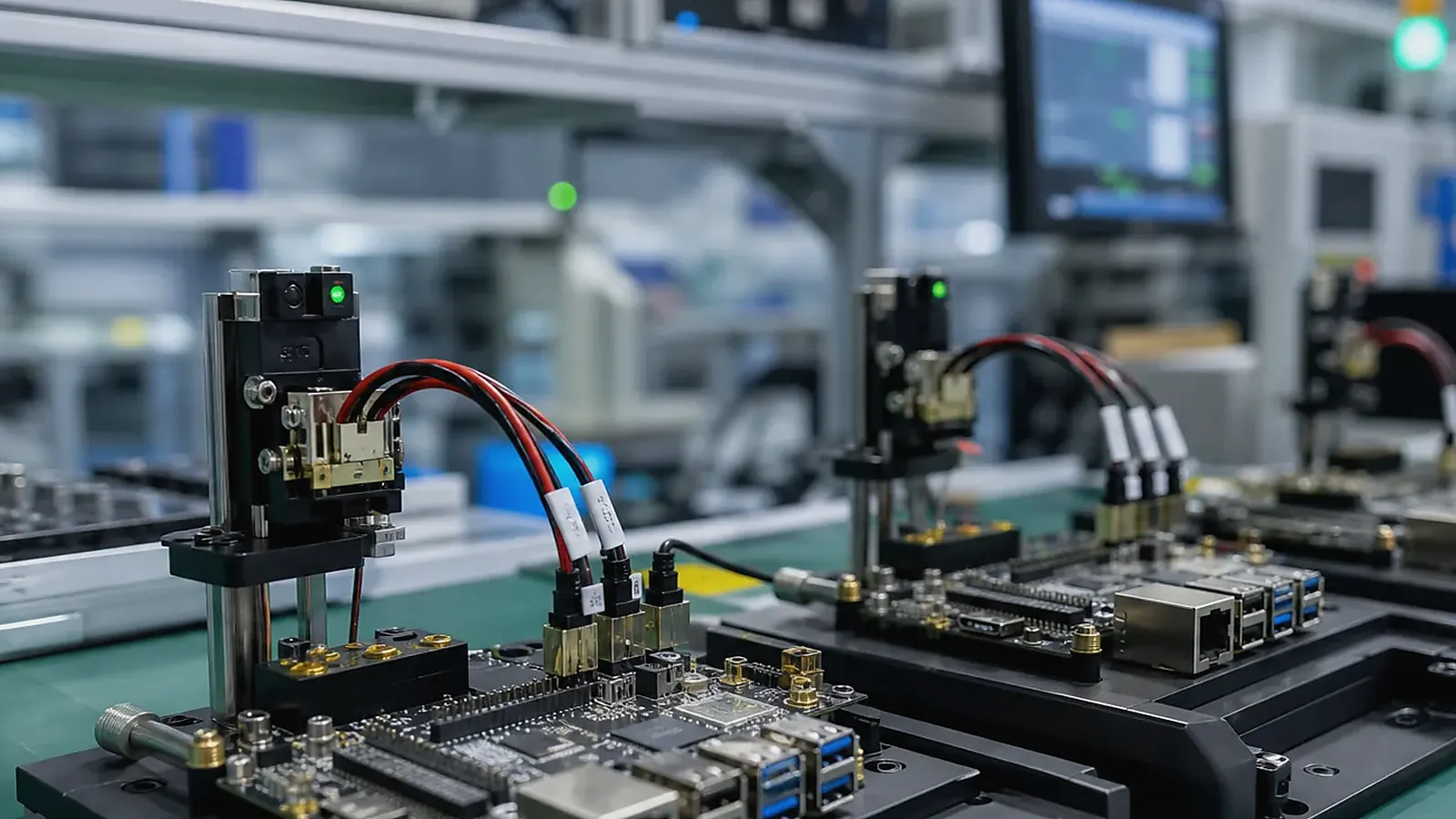
A functional test fixture turns product requirements into a repeatable factory test. It helps verify power, Ethernet, USB, UART, RS485, CAN, GPIO, display, touch, wireless, audio, storage, and software image behavior before shipment. Without a fixture or clear test method, production quality depends too much on manual judgment.
Manufacturing review should be based on records, not memory. For Functional Test Fixture Planning for Embedded SBC and Custom Board Products, keep the approved BOM, image version, fixture version, serial number rule, label file, packaging sample, defect photos, and rework notes together so a later batch can be compared with the pilot run.
For Custom SBC and embedded board projects, test planning should start during hardware design. Test points, connector access, flashing interfaces, labels, and fixture contact areas are easier to add before the PCB is finalized.
Define what must be tested
The fixture needs to match the product function. A Linux SBC gateway may need Ethernet, RS485, CAN, storage, service startup, watchdog, and MAC address checks. An Android SBC terminal may need display, touch, Wi-Fi, Bluetooth, audio, camera, USB, app startup, and image version checks.
| Test area | Example fixture or method |
|---|---|
| Power | Input voltage, current, power-on behavior |
| Ethernet | Link, data transfer, MAC address |
| Serial/CAN | Loopback, fixture device, protocol test |
| GPIO | Fixture inputs and outputs |
| Display/touch | Color pattern, brightness, touch drawing |
| Wireless | Wi-Fi/Bluetooth scan or connection test |
| Software | Image version, app version, service startup |
| Identity | Serial number, QR code, MAC, batch record |
The official IPC standards resources are useful background, but functional testing should be designed around the specific product.
Fixture access and board design
Test fixture planning affects PCB layout. The board may need test pads, debug UART, USB flashing access, power input access, GPIO points, and stable mechanical locating holes. If the test pads are hard to reach after assembly, every unit becomes slower to test.
Mechanical design also matters. The fixture should hold the board consistently, avoid damaging connectors, and allow operators to insert or remove boards quickly. For finished products, the fixture may need to contact external ports rather than bare PCBA points.
Fixture design should consider operator behavior. If a board can be inserted in the wrong orientation, it eventually will be. If a cable can be skipped, some units may leave production without a complete test. Good fixture design uses keyed placement, clear indicators, stable contacts, and software prompts to reduce mistakes.
For products with enclosures, the fixture may need two stages: a PCBA-level test and a finished-product test. PCBA testing catches board-level defects early, while finished-product testing confirms display cables, antennas, speakers, buttons, labels, and final assembly.
Test software and records
Test software should reduce manual interpretation. It can guide the operator, run each test, show pass/fail, and save results. For Linux products, scripts can check services, interfaces, storage, and logs. For Android products, a test app can check display, touch, wireless, audio, camera, and peripherals.
Records needs to cover serial number, image version, operator, date, fixture version, and failed items. This helps trace batch problems later.
The test software should also prevent incomplete tests from being marked as passed. If Wi-Fi is skipped, a serial fixture is disconnected, or the wrong image is flashed, the software should show a clear failure. Manual notes can supplement the record, but pass/fail data should be structured.
For products with MAC addresses, serial numbers, or customer configuration, the test tool needs to verify that the written data matches the label and database. Identity mistakes are difficult to fix after shipment.
Pilot run validation
The first fixture is rarely perfect. Pilot production should reveal whether test time is too long, contacts are unstable, cables are confusing, or operators can skip steps. These issues should be corrected before volume increases.
If the fixture uses known-good devices, cables, or loopback boards, those items should be version-controlled. A fixture change can affect test results just like a software change.
Pilot validation should record fixture cycle time. If each unit takes too long to test, the production schedule may slip or operators may rush. The team can then decide whether to automate more steps, split tests into stages, or simplify the fixture.
Fixture maintenance should also be planned. Pogo pins wear out, cables break, SD cards fail, and known-good peripherals can drift. A maintenance schedule and reference unit help keep test results reliable.
Change control
When the product changes, the fixture may need updates. A new display, connector, wireless module, Linux image, Android app, or enclosure can invalidate part of the original test. Treat fixture updates as controlled changes with version notes and validation results.
For related context, read factory test coverage for embedded boards and driver bring-up for Ethernet, RS485, GPIO, and storage.
Final recommendation
Design the functional test fixture around product risk: power, interfaces, software image, peripherals, identity, and traceability. A good fixture makes production faster and helps catch defects before they leave the factory.
Frequently Asked Questions
What details are useful before we talk about a Manufacturing & Testing build?
Send the use case, OS preference, display or I/O list, enclosure limits, power input, wireless needs, target quantity, and timing. With that context, Avontek can suggest a Manufacturing & Testing hardware path that fits the real device instead of only comparing board specifications.
When is a custom SBC worth considering for a Manufacturing & Testing product?
A custom SBC is worth reviewing when the device needs a fixed PCBA outline, connector position, display interface, power input, wireless module, mounting method, or cost target that a catalog board cannot meet cleanly.
Can Avontek stay involved after Manufacturing & Testing samples are built?
Yes. Avontek can help with Manufacturing & Testing board choice, Android or Linux BSP discussion, peripheral checks, sample bring-up, test fixtures, image review, and factory coordination.