
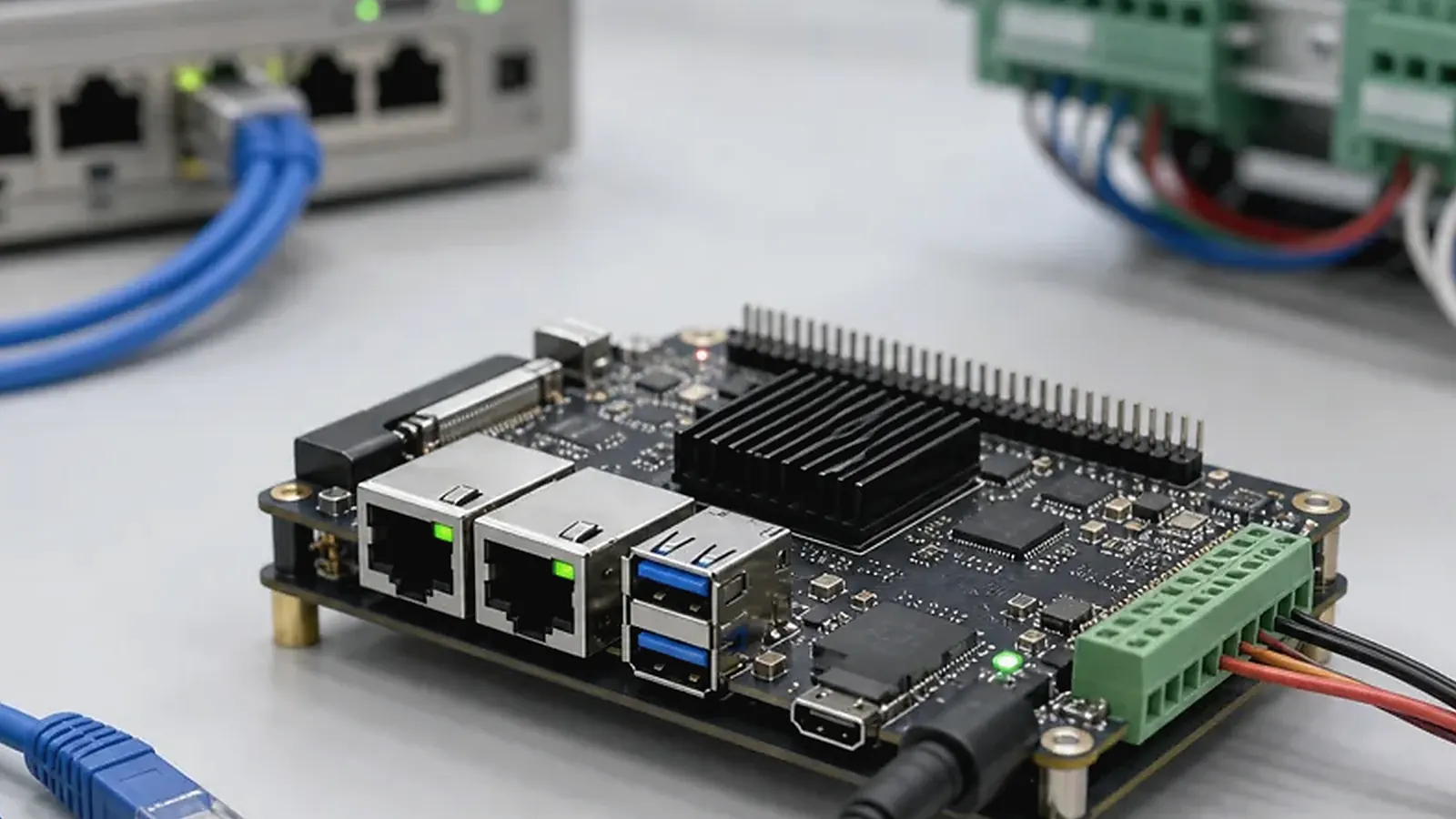
Embedded Linux BSP support is the bridge between a Linux-capable board and a product that can actually ship. A board may boot a demo image, but the final device still needs the right bootloader settings, kernel configuration, device tree, root filesystem, drivers, service startup, logging, image flashing, and factory test process. For gateways, controllers, edge devices, and industrial products, this software layer often decides whether the project is stable in the field.
A practical driver plan for Embedded Linux BSP Support for SBC Projects: Kernel, Device Tree, Rootfs, and Drivers includes reproduction steps, logs, image version, test hardware, and ownership for each issue. Without that record, the same bug can reappear between engineering samples, pilot production, and repeat batches under a different name.
Buyers and project managers do not need to become kernel engineers, but they should understand what to ask for. “Linux supported” is too broad. A useful supplier conversation should identify what is already proven, what needs adaptation, and what deliverables will be provided.
What BSP means in a Linux SBC project
BSP stands for Board Support Package. In a Linux SBC project, it commonly includes bootloader, Linux kernel, device tree, root filesystem, drivers, configuration files, build notes, image flashing tools, and board-specific test support. The BSP makes the operating system understand the board hardware.
The official Linux kernel documentation provides technical reference for kernel behavior, but a commercial embedded project also depends on SoC vendor support, board schematics, selected components, and the supplier’s practical integration experience.
Bootloader and startup behavior
The bootloader starts the system and prepares the hardware before Linux runs. In many embedded products, bootloader configuration affects storage, boot media, display logo, recovery method, and firmware flashing. For field devices, the team should also discuss what happens after power loss or failed boot.
Startup behavior should be defined from the product perspective. A gateway may need network services and protocol software to launch automatically. A controller may need GPIO and serial services ready in a fixed order. A display product may need a UI application to start without user login. These details belong in BSP and system image planning, not only application development.
Kernel and device tree
The Linux kernel provides core hardware and driver support. The device tree describes board-level hardware such as CPU peripherals, memory, GPIO, Ethernet, serial ports, I2C, SPI, display, audio, and connected devices. If the board changes components, connector use, or power design, the device tree may need adjustment.
| BSP layer | Typical project question |
|---|---|
| Bootloader | How does the board boot, recover, and flash images? |
| Kernel | Which version is used, and which drivers are enabled? |
| Device tree | Are all board peripherals mapped correctly? |
| Rootfs | What packages, services, users, and logs are included? |
| Drivers | Are Ethernet, serial, wireless, display, and storage supported? |
| Factory image | How is the image versioned, flashed, and tested? |
For a standard board, many of these items may already be prepared. For a Custom SBC, they must be reviewed against the final schematic and BOM.
Root filesystem and service startup
The root filesystem contains user-space programs, libraries, scripts, services, configuration, and application files. Product teams should decide whether they need Debian, Buildroot, Yocto, Ubuntu-based images, or another rootfs direction. The right answer depends on footprint, update method, maintenance skill, package needs, and customer software.
Service startup is especially important for Linux gateways and controllers. The device should start required services, recover from failures, rotate logs, protect storage, and expose only the interfaces needed for field service. If a service depends on network availability, serial ports, or mounted storage, the startup order needs testing under real conditions.
Driver support and peripheral bring-up
Linux driver support should be confirmed interface by interface. Ethernet may need PHY configuration. RS485 may need direction control. Wi-Fi and Bluetooth may need module firmware. CAN, GPIO expanders, audio codecs, sensors, RTC, watchdog, storage, display, and touch all have practical details. A board specification does not prove that every product-specific peripheral is already integrated.
For Industrial SBC projects, also discuss surge protection, isolation, terminal wiring, long cable environments, and field maintenance. These are not only hardware topics; they affect how the system detects failures, logs errors, and recovers.
Image delivery and version control
Every BSP delivery should have clear version naming. Engineers should know which image is loaded on which sample. Procurement should know whether a later batch will receive the same tested image or a revised one. Project managers should ask for a change log when a BSP update is delivered.
A practical delivery package may include:
- Flashable Linux image.
- Flashing tool and instructions.
- Supported interface list.
- Kernel, device tree, and rootfs notes.
- Driver limitations and known issues.
- Factory test procedure.
- Image version and change log.
Not every project requires full source delivery. Some SoC or module support may be restricted by vendor policy. The important point is to clarify what will be delivered before development begins.
Production testing connects BSP with hardware
Factory testing needs to use the same BSP assumptions as the product image. If the board has Ethernet, RS485, Wi-Fi, Bluetooth, USB, GPIO, storage, watchdog, display, or audio, the test process needs to verify those functions. If the product needs serial numbers, MAC addresses, calibration data, or customer configuration, the flashing and test flow needs to cover them.
For broader driver context, read cross-platform BSP and peripheral driver integration. For gateway-oriented Linux products, field I/O mapping for IoT gateways can help build the interface list before BSP work begins.
During sample bring-up, ask the engineer to save the boot log and device tree used for the test. Those two files make later discussions much clearer when Ethernet, RS485 direction control, storage, or watchdog behavior changes between board revisions.
Final recommendation
Treat embedded Linux BSP support as part of product development, not a small afterthought. Confirm bootloader, kernel, device tree, root filesystem, drivers, service startup, update method, image flashing, and production testing before locking the board. A well-defined BSP scope helps the project move from sample testing to repeatable production with fewer surprises.
Frequently Asked Questions
What details are useful before we talk about a Linux SBC build?
Send the use case, OS preference, display or I/O list, enclosure limits, power input, wireless needs, target quantity, and timing. With that context, Avontek can suggest a Linux SBC hardware path that fits the real device instead of only comparing board specifications.
When is a custom SBC worth considering for a Linux SBC product?
A custom SBC is worth reviewing when the device needs a fixed PCBA outline, connector position, display interface, power input, wireless module, mounting method, or cost target that a catalog board cannot meet cleanly.
Can Avontek stay involved after Linux SBC samples are built?
Yes. Avontek can help with Linux SBC board choice, Android or Linux BSP discussion, peripheral checks, sample bring-up, test fixtures, image review, and factory coordination.