
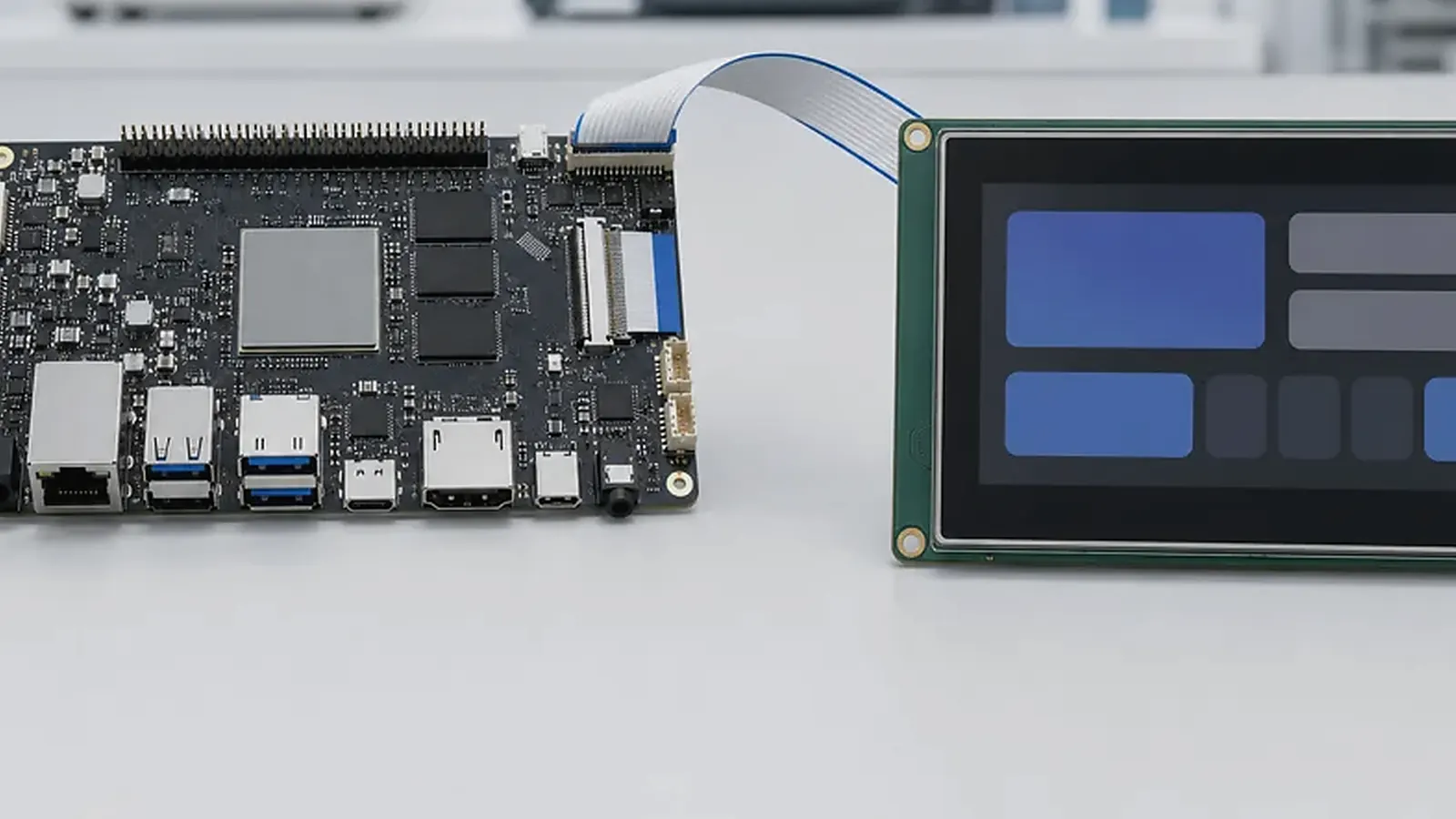
A standard Android SBC is often the fastest way to evaluate a product idea. It lets the team test Android, display, touch, wireless, application behavior, and core peripherals before committing to a full hardware design. But many commercial products eventually reach a point where the standard board creates mechanical, electrical, cost, or production limitations. That is when custom Android board development becomes worth discussing.
A custom SBC review should start with the physical product. For Custom Android Board Development: When a Standard SBC Is Not Enough, a supplier can give a better answer after seeing the enclosure drawing, mounting points, cable routes, connector direction, display part number, target quantity, and the functions that must stay unchanged from the sample stage to production.
The decision should be practical. A custom board is not automatically better, and it should not be used only because it sounds more professional. It becomes useful when the final product needs a board that fits the enclosure, supports the right interfaces without adapters, uses stable components, controls cost at production quantity, and can be tested repeatedly in manufacturing.
Signs that the standard SBC is limiting the product
The most common sign is mechanical conflict. The board may be too large, mounting holes may not match, connectors may face the wrong direction, or cables may bend awkwardly inside the enclosure. Sometimes the board fits electrically but wastes space, blocks the speaker cavity, interferes with antenna placement, or makes assembly slow.
Another sign is interface mismatch. The standard Android SBC may have many unused connectors but still lack the exact display interface, touch connector, power input, camera position, serial port, USB route, or wireless module required by the product. Adapters can help during prototypes, but they often create risk in production.
Cost is another factor. If the product volume is meaningful, removing unused functions, changing connectors, selecting suitable ICs, and optimizing the BOM may justify a Custom SBC design. The savings must be measured against development cost, tooling, testing, and schedule.
Start from enclosure and user experience
Custom Android board development should begin with the final product, not only the schematic. Collect enclosure drawings, screen size, touch panel, button positions, speaker and microphone locations, camera opening, antenna area, mounting method, cable path, thermal limits, and service access. The board outline and connector placement should support assembly and maintenance.
For a wall panel or HMI, the PCB may need to sit behind the LCD with strict height limits. For a smart terminal, the board may need to connect to camera, scanner, printer, battery, speaker, microphone, and external ports. For a control product, Ethernet, UART, RS485, GPIO, and power terminals may need to face the installer.
Hardware scope to define
Before quoting a custom Android board, prepare a clear hardware list:
| Area | Information to prepare |
|---|---|
| Processor | Preferred SoC family or performance target |
| Display | Interface, resolution, brightness, cable, supplier |
| Touch | Controller model, interface, cover glass, environment |
| Wireless | Wi-Fi, Bluetooth, LTE, antenna position, module preference |
| I/O | USB, UART, GPIO, Ethernet, camera, audio, storage, keys |
| Power | Input voltage, peak load, sleep, battery, power recovery |
| Mechanics | Board outline, mounting holes, connector direction, height |
| Production | Quantity, test method, labels, packaging, schedule |
If the SoC is not fixed, compare Rockchip SBC and Allwinner SBC directions. Rockchip may fit richer UI, multimedia, and higher display needs. Allwinner may fit cost-sensitive display products or simpler terminals. The right choice depends on the product, not the logo on the chip.
BSP and driver work still matter
Custom hardware does not remove Android BSP work. It usually increases the need for disciplined BSP planning because the board may use a selected LCD, touch controller, wireless module, camera sensor, audio codec, power IC, or storage device that differs from the reference design. Android needs the correct low-level configuration and drivers before the application can run reliably.
The official Android architecture documentation helps explain the platform layers, but the final product depends on the board supplier’s ability to connect hardware design, kernel configuration, Android image preparation, and production testing.
When discussing software scope, confirm boot logo, app auto-start, permissions, navigation bar behavior, display rotation, sleep and wake, update method, factory reset, debug access, and logs. These are product behaviors, not optional decoration.
Prototype path: do not skip validation
A sensible path is usually evaluation board, custom prototype, pilot run, then production. The evaluation board helps confirm the SoC and Android direction. The custom prototype checks schematic, layout, display, touch, wireless, power, and mechanical fit. The pilot run checks assembly, test fixtures, software flashing, packaging, and supplier communication.
Skipping validation can be expensive. A connector that is hard to insert, a display cable that is too tight, a Wi-Fi antenna placed near noisy components, or a missing test point may not appear in a schematic review. These issues show up during assembly and field testing.
Production test planning
Custom Android boards needs to cover test planning from the beginning. Test points, flashing interface, fixture access, screen test, touch test, wireless test, audio test, camera test, USB test, Ethernet test, serial test, and power test should be considered during layout. A factory test image or test APK can reduce manual inspection time.
For production quality, read factory test coverage for embedded boards. The same logic applies strongly to custom Android boards because each board is tied to a specific product configuration.
When a standard board is still better
If the product volume is low, the enclosure is flexible, the standard board fits well, and the required interfaces are already supported, staying with a standard SBC may be smarter. It reduces development cost and shortens schedule. This is common for early market testing, internal tools, demonstration systems, and small-volume devices.
For complete wall-mounted products, compare Smart Control Panels before starting a custom board. A finished panel may already solve enclosure, screen, touch, power, wireless, and production issues.
Final decision
Move to custom Android board development when the standard SBC no longer supports the product cleanly. The strongest reasons are enclosure fit, connector placement, display integration, power design, wireless layout, BOM control, production test access, and long-term supply. A good custom board project starts with product requirements, then connects hardware, Android BSP, mechanical design, and manufacturing into one plan.
Frequently Asked Questions
What details are useful before we talk about an Android SBC build?
Send the use case, OS preference, display or I/O list, enclosure limits, power input, wireless needs, target quantity, and timing. With that context, Avontek can suggest a Android SBC hardware path that fits the real device instead of only comparing board specifications.
When is a custom SBC worth considering for an Android SBC product?
A custom SBC is worth reviewing when the device needs a fixed PCBA outline, connector position, display interface, power input, wireless module, mounting method, or cost target that a catalog board cannot meet cleanly.
Can Avontek stay involved after Android SBC samples are built?
Yes. Avontek can help with Android SBC board choice, Android or Linux BSP discussion, peripheral checks, sample bring-up, test fixtures, image review, and factory coordination.