
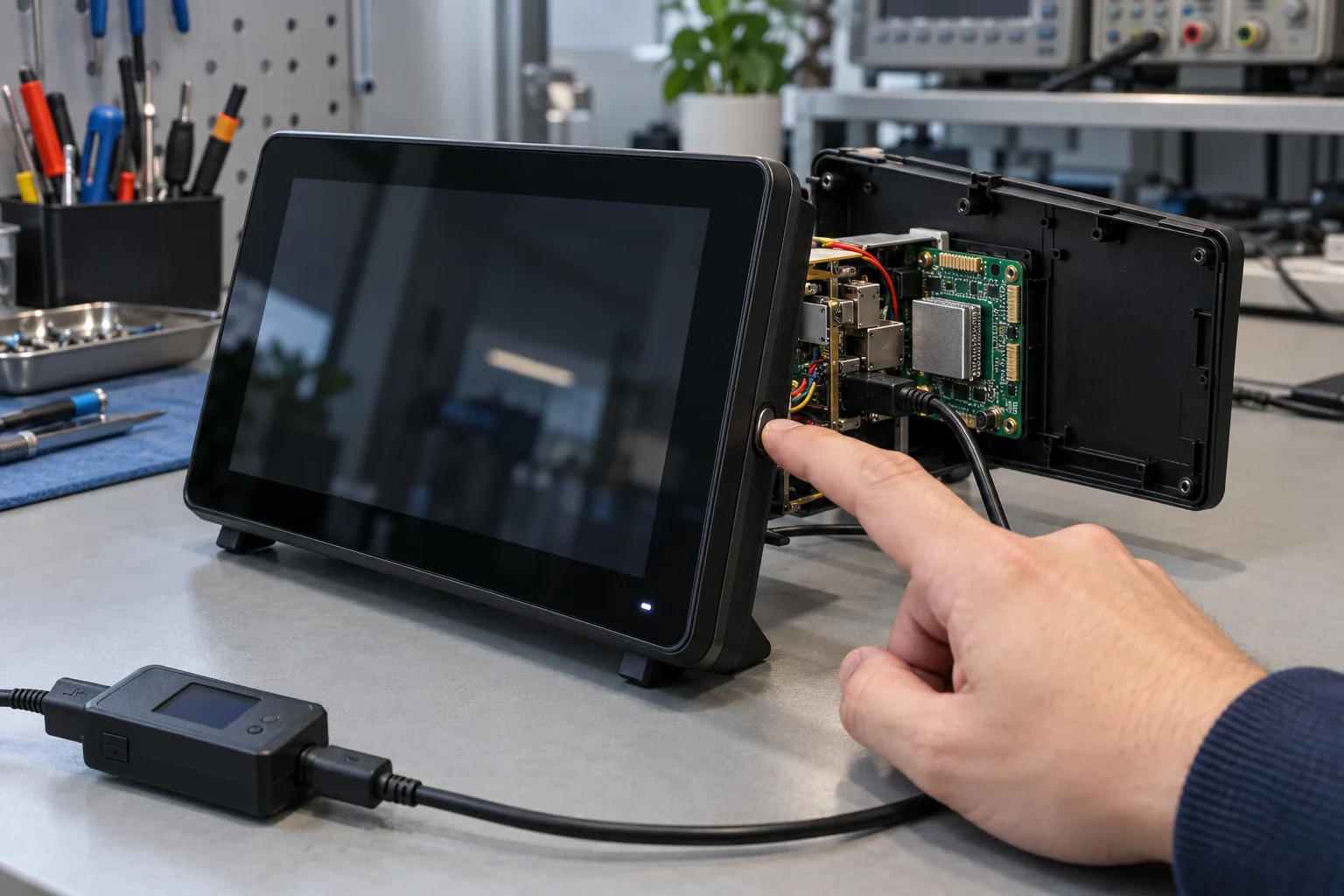
Turning the display black is easy. Proving that a terminal saves power, remains reachable when required, and returns with working touch and peripherals takes a different test. A panel can look asleep while its processor stays busy, or consume very little power while missing the event that should wake it.
For an embedded Android product, define power behavior as a set of states and transitions. Record what continues running, which events are allowed to wake the device, how quickly a useful screen returns, and what the device consumes in each state. Treat these as product requirements rather than a single timeout setting.
Agree what must work with the screen off
Start with the application. Does the product monitor a door contact, maintain an intercom connection, collect serial data, or wait only for a person to touch the screen? Those activities lead to different power and responsiveness tradeoffs.
A mains-powered Android SBC may deliberately keep essential processing active while shutting down the backlight. That can be a valid design if the power budget allows it. Calling the state “sleep” without describing its behavior makes acceptance unnecessarily confusing.
Write a small state table before discussing BSP changes. Give each state observable entry and exit conditions so engineering and the customer can test the same behavior.
| Product state | What may remain active | Evidence to collect |
|---|---|---|
| Interactive | Display, touch, application, required I/O | Task response and input power |
| Dimmed | Application and selected interfaces | Brightness, timeout, user recovery |
| Display off | Required background services | Network/I/O behavior and power |
| System suspend | Only supported retained wake paths | Suspend residency and wake result |
| Shutdown | Hardware-specific restart circuitry | Off-state power and restart method |
The table describes intent. Whether a particular board can implement each row must be verified on its hardware and software combination.
Separate screen policy, Doze, and system suspend
Screen timeout controls the interactive experience. Doze and app standby affect application work under their applicable conditions. Kernel suspend is a deeper system state with hardware and driver dependencies. These mechanisms interact, but their names are not interchangeable.
The Android Open Source Project’s SystemSuspend documentation describes how Android coordinates suspend and wake locks. Vendor images and older Android versions can use different implementations, so review the supplied branch rather than assuming every debugging instruction applies unchanged.
Do not assume battery-oriented idle behavior will occur identically on a continuously powered embedded board. Charging status, product configuration, permissions, and vendor changes can affect policy. Test the actual deployment arrangement, including whether the product reports a battery at all.
Build a wake-source matrix
For each requested event, identify the full path: sensor or peripheral, electrical signal, retained power, interrupt routing, driver wake support, Android behavior, and application response. A connector labeled GPIO or USB does not establish that path.
Touch wake needs the controller to remain in a suitable state and deliver a supported event. Network wake depends on the network hardware and its integration. A timer or physical button may offer a different recovery path, but each needs explicit approval.
Test enabled and disabled sources. A noisy input that wakes the system repeatedly can defeat a good suspend design. Also decide whether a wake event should only illuminate the screen or execute an action. A first touch intended to wake the panel should not accidentally operate a control underneath it.
Inspect power state without confusing the measurement
With authorized ADB access to a development unit, these commands can help establish the framework’s view:
adb shell dumpsys power
adb shell dumpsys display
adb shell dumpsys deviceidle
Available fields and permissions vary by Android version and vendor image. Save the output with the image version and test timestamp. It is diagnostic context, not a substitute for electrical measurement or proof of kernel suspend.
ADB over USB, a debug console, or a connected instrument can change power and wake behavior. First use those tools to understand the sequence, then repeat the final power measurement in the intended deployment configuration. Record any remaining test connections.
Find the owner of persistent wake activity
If power stays high after the expected idle interval, determine whether the system never entered the intended state or repeatedly woke from it. These require different investigations. Look for active application work, unfinished transactions, driver activity, and unexpectedly frequent interrupts.
Wake locks can be appropriate for bounded work, such as completing a critical operation. The concern is a lock held longer than the operation requires, or a failure path that never releases it. Review ownership and timeout behavior instead of removing every lock indiscriminately.
For connected control panels, agree which functions take precedence over energy savings. An ongoing call or control task may legitimately keep the device active. Make that exception visible in the requirements and test report.
Validate the first useful action after wake
A restored framebuffer is not the end of resume testing. Touch coordinates, audio routing, camera availability, USB permissions, serial communication, and network sessions can recover at different times. Test the operation the user will perform immediately after wake.
Measure from the triggering event to that successful operation. Keep this separate from cold-start timing in the Android startup measurements. A product can boot reliably yet fail after its fifth suspend cycle because a peripheral never returned to the expected state.
Repeat short and long idle intervals, wake during background work, and peripheral removal while asleep. Restore the same baseline between investigations. Otherwise, a previous failed resume can contaminate the next result and obscure the first failure.
Keep the application usable during recovery
Define what the user sees when the screen returns before a device or service is ready. Disable actions that cannot complete, retain pending-operation status, and avoid displaying stale information as though it were current.
The embedded Home experience should include these intermediate states. A launcher that works only after a clean boot leaves the product exposed when the application process has been reclaimed or its network session has expired during inactivity.
Bound retries and preserve diagnostics. Rebooting the board after every wake problem may restore a demonstration, but it can hide a driver or state-management fault that needs to be fixed before deployment.
Put power acceptance into the purchase specification
Specify the input voltage, attached peripherals, screen brightness, network state, software build, ambient conditions, and measurement interval. Compare average power and important peaks; a single instantaneous reading can miss periodic wakeups.
Set the allowed time to enter the intended state and the allowed time to resume useful work. Include repeated-cycle behavior, not just one successful sleep and wake. Keep the fixture, application workload, and approved accessory list with the result.
For a custom Android mainboard, settle retained rails and wake inputs before hardware release. A missing wake-capable connection may require a PCB change rather than another application setting. Approve the design when its measured state transitions match the product’s real duty cycle, including the exceptions that keep it awake.
Frequently Asked Questions
Does switching off the screen put an Android SBC into suspend?
Not necessarily. The display can be off while applications, drivers, radios, or wake locks keep the system active. Confirm the software state and measure input power on the actual production image.
Can any GPIO wake an Android board?
No. The SoC power domain, interrupt controller, pin configuration, kernel driver, and board wiring must support that wake source in the intended sleep state. Verify the selected pin on the delivered hardware.
Should a permanently powered wall panel always use deep suspend?
Only if required background functions and wake response still work. Some products need display-off operation with the processor available. Choose the state from the service requirement, then measure its power cost.