
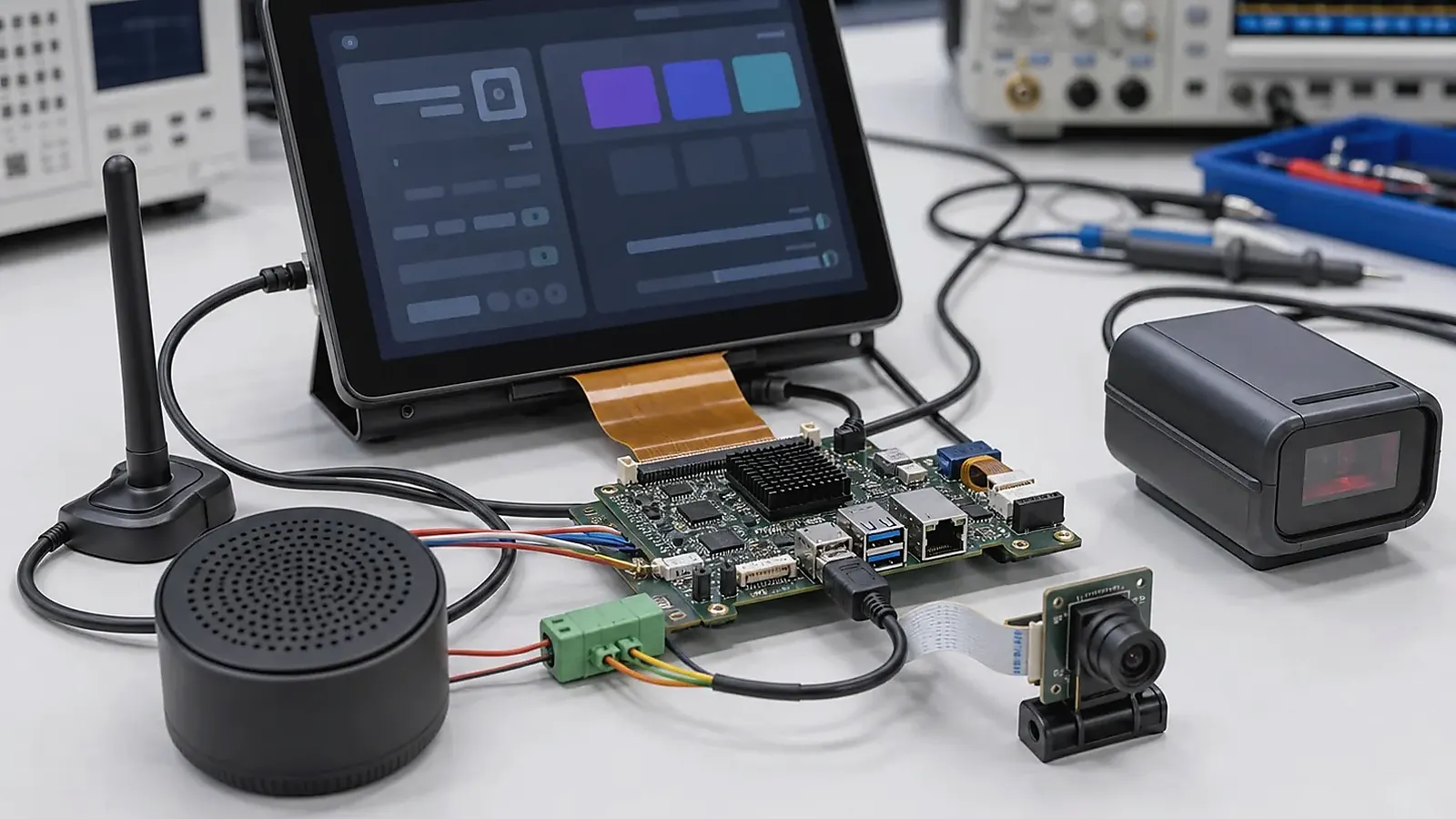
Smart terminals usually combine a screen, touch interface, wireless connection, application workflow, peripherals, enclosure, and production requirements. That combination makes Android attractive, but it also makes board selection more complex than a normal evaluation board purchase. An Android SBC for a smart terminal should be chosen around the final product experience and factory process.
Smart terminal planning should begin with the peripherals that users touch every day. For Android SBC for Smart Terminals: Hardware, Software, and Production Checklist, camera angle, scanner trigger, printer path, NFC area, speaker volume, microphone location, USB strain relief, battery behavior, and service access can change the board and enclosure decision.
Examples include commercial terminals, access devices, self-service interfaces, information displays, handheld or desktop terminals, room devices, and connected display products. Some need only a simple UI and Wi-Fi. Others need camera, speaker, microphone, scanner, printer, Ethernet, USB devices, battery, LTE, or custom keys. The correct Android SBC depends on the full system.
Define the terminal type
Start by naming the terminal behavior. Is it a customer-facing terminal, an operator interface, a wall-mounted device, a portable device, or an internal service tool? Will users interact with one locked application or several apps? Does the device need multimedia, camera preview, voice, payment peripherals, or local data storage?
This matters because Android can be configured in very different ways. A single-purpose device may boot directly into one application and hide normal settings. A service terminal may need administrator access, logs, and field update tools. A portable terminal may need battery management and aggressive sleep behavior. A wall device may care more about stable power recovery and screen life.
Hardware checklist
Use the following hardware checklist before comparing boards:
| Terminal area | Questions to answer |
|---|---|
| Display | Size, resolution, interface, brightness, orientation |
| Touch | Controller, cover glass, glove/wet use, wake behavior |
| Connectivity | Wi-Fi, Bluetooth, Ethernet, LTE, antenna position |
| Peripherals | Camera, speaker, microphone, scanner, printer, USB devices |
| Control I/O | UART, GPIO, RS485, keys, LEDs, sensors |
| Storage | eMMC capacity, SD card, logs, local database needs |
| Power | Adapter, battery, backup, sleep, restart after power loss |
| Mechanics | Board outline, ports, mounting, cable routing, service access |
The checklist should be filled with real part numbers or interface types whenever possible. A vague statement such as “need camera” is not enough for BSP planning. Sensor model, interface, resolution, and app use should be known.
Software and Android image checklist
Smart terminal quality depends heavily on the Android image. Confirm Android version, boot logo, app auto-start, permissions, system bar behavior, screen timeout, sleep/wake rules, storage permissions, update method, logs, and factory reset behavior. If the device is customer-facing, decide whether users can leave the main application.
The official Android dedicated devices documentation is useful for understanding locked-down device concepts. In an embedded SBC project, the supplier still needs to adapt the board image, drivers, and system behavior to the exact hardware.
If the terminal uses a customer app, test it early on the target board. Check boot time, memory use, UI smoothness, network recovery, camera preview, audio latency, and long-running stability. Application problems and BSP problems can look similar to non-specialists, so the team should define who owns each layer.
Rockchip or Allwinner for terminals
For smart terminals with richer UI, camera, multimedia, or higher screen resolution, a Rockchip SBC direction is often considered. For compact Android terminals with moderate UI and controlled peripherals, a PX30 SBC can also be a practical starting point before moving to higher-performance platforms.
For cost-sensitive terminals with controlled interfaces and simpler UI, an Allwinner SBC direction may be appropriate. The key is to compare actual support: Android version, display options, touch controller, wireless module, peripheral drivers, and production supply.
Do not choose only by processor name. A lower-cost platform with proven support may be better than a stronger platform that requires new driver work. A higher-performance platform may be justified if it prevents UI lag, supports the required display, or leaves room for future app features.
Enclosure and connector planning
Smart terminal enclosures often drive board decisions. External ports must be reachable. Internal cables must be short enough and easy to assemble. Antennas need a reasonable location. Speaker and microphone placement may affect audio quality. Camera position may force board or flex cable changes.
If a standard board creates mechanical compromise, consider a Custom SBC. Custom board development can align connector direction, mounting holes, display connector, wireless module, power input, and service access with the terminal enclosure. This is especially useful when the product has a fixed industrial design or expected production volume.
Factory testing checklist
A terminal should have a factory test plan before pilot production. The test plan needs to cover:
- Display color, brightness, and orientation.
- Touch response across the full panel.
- Wi-Fi, Bluetooth, Ethernet, and LTE where used.
- Camera preview and capture.
- Speaker, microphone, and audio jack if present.
- USB host/device behavior and attached peripherals.
- UART, GPIO, keys, LEDs, sensors, scanner, or printer.
- Serial number, MAC address, Android image version, and app version.
- Boot into customer app and recovery after power loss.
Factory testing is not only a quality activity; it is also a design feedback tool. If a function is hard to test, the board or software image may need adjustment before production.
Project information to send a supplier
When asking for a quote or platform recommendation, send product photos or drawings if available, screen details, interface list, target Android version, expected app behavior, wireless requirements, power input, production quantity, and target schedule. If the terminal is replacing an existing product, include the current pain points. This helps the supplier recommend a board, custom design, or complete product path.
For broader terminal development context, read mainboard architecture for connected terminals. If the product is a complete connected terminal rather than only a board project, also review the Smart Terminal solution direction.
Final recommendation
Choose an Android SBC for a smart terminal by checking the whole product: display, touch, app workflow, wireless, peripherals, enclosure, Android image, production testing, and supply. A board that matches these details will move faster through development than a board selected only by headline specifications.
Frequently Asked Questions
What details are useful before we talk about an Android SBC build?
Send the use case, OS preference, display or I/O list, enclosure limits, power input, wireless needs, target quantity, and timing. With that context, Avontek can suggest a Android SBC hardware path that fits the real device instead of only comparing board specifications.
When is a custom SBC worth considering for an Android SBC product?
A custom SBC is worth reviewing when the device needs a fixed PCBA outline, connector position, display interface, power input, wireless module, mounting method, or cost target that a catalog board cannot meet cleanly.
Can Avontek stay involved after Android SBC samples are built?
Yes. Avontek can help with Android SBC board choice, Android or Linux BSP discussion, peripheral checks, sample bring-up, test fixtures, image review, and factory coordination.