
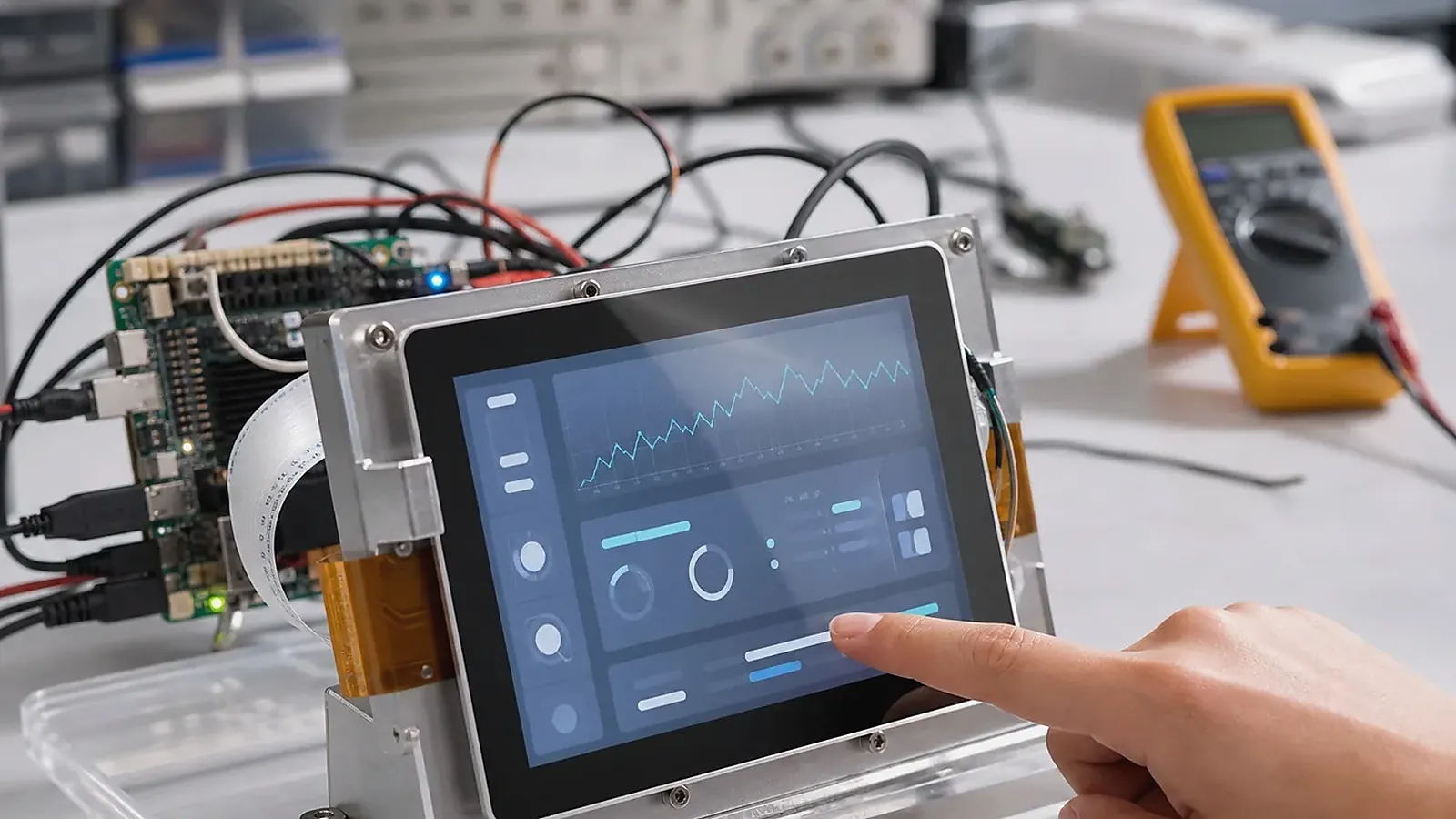
Android and Linux can both work for HMI products, but they usually fit different priorities. Android is often stronger when the product needs a polished touchscreen UI, app workflow, language support, multimedia, and customer-facing interaction. Linux is often stronger when the HMI behaves more like a controller, gateway, or equipment interface with background services, direct I/O, logs, and long-running operation.
HMI hardware needs to be reviewed with the operator experience in mind. For Android HMI Board vs Linux HMI Board: Which Fits Your Product?, display brightness, touch noise, glove or wet-finger behavior, boot screen, service port access, cable bend radius, and enclosure heat can matter more than a headline CPU choice.
The right answer depends on the product, not on operating system preference. A modern equipment panel may need Android because the UI is central. A field controller with a small display may need Linux because interface reliability and service behavior matter more. Start from the HMI workflow, then choose the board and BSP direction.
When Android HMI is the better direction
An Android SBC direction is often suitable for HMI products that need a rich interface, app-based control, media, animation, customer-facing screens, easy language switching, or a familiar Android development model. Room panels, smart terminals, kiosks, commercial touch products, and display-heavy control products often fit this direction.
Android planning needs to cover boot logo, launcher behavior, app auto-start, permissions, navigation lock, display rotation, screen timeout, Wi-Fi, Bluetooth, audio, camera, and update method. The official Android dedicated devices documentation is useful background for locked-down Android behavior, but the final result depends on board image configuration.
When Linux HMI is the better direction
A Linux SBC direction is often better when the HMI is part of a control system, gateway, industrial interface, data collection terminal, or equipment panel that runs services continuously. Linux can be direct and stable when the product needs Ethernet, RS485, CAN, UART, GPIO, storage, watchdog, logs, and controlled boot behavior.
Linux planning needs to cover kernel version, device tree, drivers, root filesystem, service startup, log handling, update strategy, filesystem protection, and recovery after power loss. A Linux HMI can still have a UI, but the main project risk may be service reliability rather than visual polish.
Comparison table
| Decision area | Android HMI board | Linux HMI board |
|---|---|---|
| UI style | Rich app UI, multimedia, language switching | Focused UI, service or control-driven |
| Software stack | Android image, APK, launcher, permissions | Kernel, rootfs, services, drivers |
| Display/touch | Strong for interactive screens | Good when BSP and driver support are clear |
| Field interfaces | Possible, but confirm driver and app access | Often direct for Ethernet, serial, GPIO, CAN |
| Updates | App/image update strategy needed | Package/image/service update strategy needed |
| Best fit | Terminals, panels, customer-facing HMI | Gateways, equipment panels, control terminals |
This table is a starting point. A specific board, BSP, and supplier may change the best decision.
Display and touch are shared concerns
Both Android and Linux HMI projects need display and touch integration. Confirm interface, resolution, orientation, touch controller, backlight, cable route, and production supply. If the same LCD may be used across Android and Linux variants, check whether both BSP paths support it.
Touch behavior needs testing in the real environment. Industrial noise, gloves, cover glass, moisture, and long cables can affect user experience. A working demo on a bench does not prove stable field behavior.
BSP and ownership boundaries
For Android, BSP work may include display, touch, audio, camera, wireless, permissions, launcher, and system image. For Linux, BSP work may include bootloader, kernel, device tree, rootfs, drivers, services, and update scripts. In both cases, define who owns application development and who owns board support.
If the product requires special enclosure, connector placement, or field interfaces, a Custom SBC may be better than forcing a standard board into the design.
This ownership boundary should be written down before samples are ordered. The supplier may be responsible for the board image, drivers, flashing tool, and factory test support, while the customer may own the HMI application, cloud platform, and device logic. When this boundary is unclear, UI bugs, driver issues, and integration failures can be assigned to the wrong team and slow the project.
Production testing
Android HMI testing needs to cover boot to app, display, touch, Wi-Fi, audio, camera, permissions, and recovery. Linux HMI testing needs to cover boot, services, Ethernet, serial ports, GPIO, storage, watchdog, logs, and field interface behavior. Both should test power loss and long-running operation.
For related context, read operating-system choice for embedded SBCs and kernel, device tree, rootfs, and driver support.
The pilot test needs to cover the actual display, enclosure, cable length, power supply, and connected devices. Android and Linux can both look stable in a simple demo, then fail when the final touch panel, field wiring, or service workflow is added. The operating system choice should be validated under product conditions.
In borderline cases, build one small test around the hardest behavior. For Android, that might be kiosk startup with the real APK. For Linux, it might be RS485 polling with network loss and watchdog recovery. The result usually makes the OS choice less theoretical.
Final recommendation
Choose Android when the HMI experience is mainly a rich touchscreen application. Choose Linux when the HMI is mainly an equipment interface, gateway, or controller that must run services reliably. In both cases, validate display, touch, BSP, enclosure, and production test before locking the board.
Frequently Asked Questions
What details are useful before we talk about an HMI build?
Send the use case, OS preference, display or I/O list, enclosure limits, power input, wireless needs, target quantity, and timing. With that context, Avontek can suggest a HMI hardware path that fits the real device instead of only comparing board specifications.
When is a custom SBC worth considering for an HMI product?
A custom SBC is worth reviewing when the device needs a fixed PCBA outline, connector position, display interface, power input, wireless module, mounting method, or cost target that a catalog board cannot meet cleanly.
Can Avontek stay involved after HMI samples are built?
Yes. Avontek can help with HMI board choice, Android or Linux BSP discussion, peripheral checks, sample bring-up, test fixtures, image review, and factory coordination.