
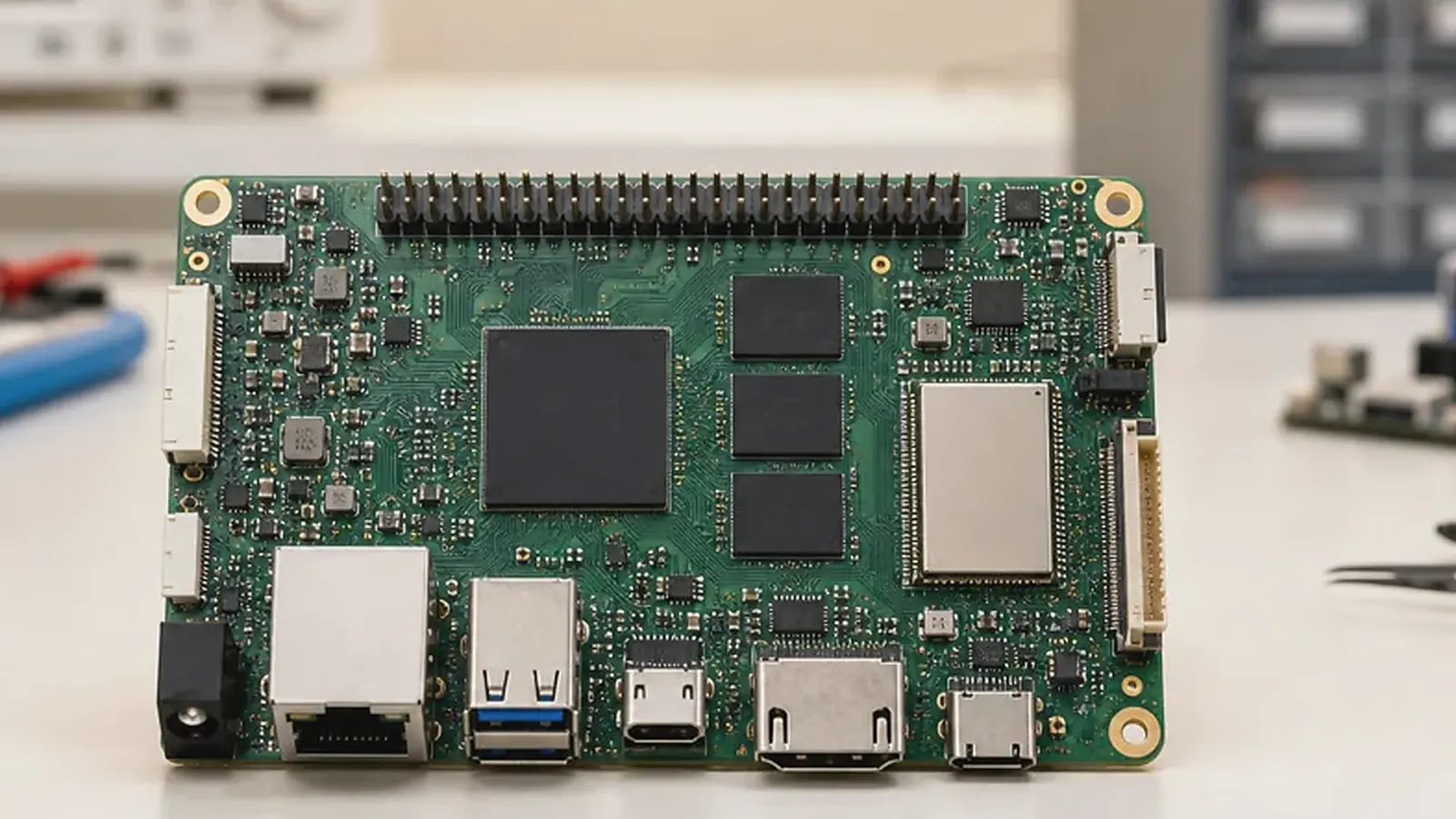
Allwinner SBC platforms are often considered when an embedded product needs practical cost control, display support, compact interfaces, Linux or Android availability, and a path toward custom board production. They can fit Android display terminals, HMI products, connected control devices, Linux gateways, audio-related products, and compact RTOS devices. The right Allwinner choice depends less on a generic processor ranking and more on the final product’s operating system, interface list, screen requirements, enclosure, production quantity, and software support.
Allwinner projects often win on cost only when the product boundaries are clear. For Allwinner SBC Selection Guide: A33, A64, R528, and R128 for Embedded Products, confirm the screen, touch controller, audio path, Ethernet or wireless module, storage size, power input, and expected quantity before optimizing the BOM. Otherwise a low board price can be offset by late driver or mechanical changes.
This guide compares A33, A64, R528, and R128 as practical directions for product teams evaluating an Allwinner SBC before moving into board selection, BSP discussion, or custom hardware development.
Start with the operating system
The operating system is the first filter. Android is usually selected when the product needs a touchscreen UI, app workflow, media playback, customer-facing interaction, or a familiar application environment. Linux is usually selected for gateways, controllers, communication products, and services that run unattended. RTOS is often considered for compact smart devices, audio products, and focused control applications where fast startup and a smaller software stack are useful.
If the product is UI-driven, compare the Android SBC direction. If it is a gateway, controller, or field device, compare the Linux SBC direction. If the product is compact and task-specific, R128 and RTOS-style planning may be more relevant.
Compare A33, A64, R528, and R128 by product fit
The following table is a practical starting point. Final selection still depends on board design, BSP maturity, display interface, peripheral support, and supply planning.
| Allwinner platform | Practical product fit |
|---|---|
| A33 | Cost-sensitive Android display products, compact HMI, simple control panels |
| A64 | Android or Linux display devices, connected terminals, media-capable embedded products |
| R528 | Linux gateway, control, audio, industrial interface, and connected device products |
| R128 | RTOS-based compact audio, smart device, IoT, and control applications |
A33 can be attractive when the product needs an Android display at a controlled cost. A64 can be a more flexible direction when Android and Linux are both under discussion. R528 is usually more relevant for Linux control and gateway-style products. R128 is a compact direction for products that do not need a full Android or Linux stack.
The cost difference between platforms should be considered together with software effort. A lower-cost processor is useful when it already supports the screen, touch, network, storage, and application workload. It becomes less useful if the team later needs a new display driver, an extra adapter board, a more expensive wireless module, or several weeks of BSP work. For purchasing teams, the practical comparison is total product cost, not only SBC unit price.
For projects that may grow over time, leave some performance and interface margin. A simple room panel may later need more animations, cloud services, voice prompts, or a richer UI. A gateway may later need more protocol handling and local logging. If those changes are likely, a platform that looks slightly oversized during prototype development may be the more stable business decision.
Display and touch requirements
For Android display products, the LCD and touch panel need review before the board decision. Confirm interface, resolution, rotation, backlight control, touch controller, cable length, cover glass, and expected supply life. Many Allwinner Android projects are cost-sensitive, so display availability and touch controller consistency are as important as board price.
For HMI and terminal products, it is not enough to know that Android runs. The board and BSP need to support the selected display and touch behavior from boot logo to application startup. If the product uses a special panel or fixed enclosure, the display path should be checked before mechanical design is locked.
Touch behavior needs testing in the same physical stack that will ship. Cover glass thickness, grounding, LCD noise, cable length, and the touch controller firmware can change the user experience. A panel that works on an open bench may feel unstable after it is mounted in a plastic or metal enclosure. This is especially important in lower-cost Android products, where teams sometimes change the display supplier late in the project to reduce cost.
Linux, RTOS, and field interfaces
For Linux products, define Ethernet, Wi-Fi, Bluetooth, UART, RS485, CAN, GPIO, USB, storage, audio, and power behavior early. A gateway or controller should restart reliably after power loss, start services automatically, and handle logs without damaging storage. For RTOS products, define boot time, task behavior, wireless requirements, audio path, control interfaces, and update method.
The official Linux kernel documentation is useful background for Linux system concepts, but an Allwinner production project still depends on board-specific BSP, drivers, and supplier support.
For Linux gateway and control products, the best sample test is usually not a benchmark. Connect the real RS485 device, run the expected service, unplug the network, cut power, fill part of the log storage, and restart the unit many times. These tests reveal whether the platform is suitable for field use. For RTOS products, check startup time, wireless reconnection, audio path stability if used, and update behavior under poor power conditions.
R528 and R128 projects also need a clear software ownership model. Some customers only need a board and basic SDK. Others expect the supplier to help with drivers, middleware, production images, and factory tests. Clarifying this early avoids a common situation where the hardware is correct but the software team lacks the low-level support needed to finish the product.
Standard board or custom Allwinner board
A standard Allwinner board is useful for evaluation, application development, and low-volume products. A Custom SBC becomes more practical when the product needs a specific board outline, mounting hole layout, connector direction, display connector, wireless module, power input, terminal wiring, or cost target.
Custom development should not start from the schematic alone. Prepare product drawings, display datasheets, interface list, power requirements, software direction, target quantity, and test expectations. These details help determine whether A33, A64, R528, R128, or another direction is suitable.
Common Allwinner selection mistakes
The first mistake is assuming that every low-cost board is equally suitable for production. Board layout, power design, storage choice, connector quality, and BSP maintenance can be very different even when the processor family is similar. A product that will ship in volume should be evaluated as a system, not as a module price.
The second mistake is changing major components after Android or Linux validation. Display panels, touch controllers, Wi-Fi modules, eMMC, audio codecs, and camera sensors can all affect software. If procurement needs alternate parts, make them part of the validation plan instead of treating them as a purchasing detail.
The third mistake is choosing Android when the product only needs a simple control function. Android is useful for rich UI products, but it brings boot time, image maintenance, permission handling, and more storage requirements. For compact audio, sensor, or focused control products, Linux or RTOS may be more appropriate.
Procurement and production checks
Allwinner projects often have strong cost targets, but purchasing should not focus only on unit board price. Confirm BOM stability, display and wireless module availability, image flashing method, functional test scope, packaging, and follow-up batch support. If a component substitution affects drivers, the software schedule may change.
Production testing needs to verify display, touch, network, serial ports, GPIO, storage, audio, boot behavior, and product application startup where applicable. For related platform comparison, read platform trade-offs between Rockchip and Allwinner and factory test coverage for embedded boards.
Before sample approval, ask for the exact board configuration, OS or SDK version, tested display list, wireless module model, storage type, flashing method, serial number or MAC address handling, and known limitations. For volume projects, also ask which components are fixed and which have approved alternatives. These answers help engineering and purchasing judge whether the selected Allwinner SBC is a product platform or only a demo board.
Final recommendation
Choose an Allwinner SBC by matching the product’s OS, UI, I/O, cost target, enclosure, BSP scope, and production plan. A33 and A64 are stronger candidates for Android and display-based products. R528 fits Linux gateway, control, and audio-related directions. R128 fits compact RTOS smart device and audio applications. The best choice is the one that can be supported through prototype, pilot run, and repeatable production.
Frequently Asked Questions
What details are useful before we talk about an Allwinner SBC build?
Send the use case, OS preference, display or I/O list, enclosure limits, power input, wireless needs, target quantity, and timing. With that context, Avontek can suggest a Allwinner SBC hardware path that fits the real device instead of only comparing board specifications.
When is a custom SBC worth considering for an Allwinner SBC product?
A custom SBC is worth reviewing when the device needs a fixed PCBA outline, connector position, display interface, power input, wireless module, mounting method, or cost target that a catalog board cannot meet cleanly.
Can Avontek stay involved after Allwinner SBC samples are built?
Yes. Avontek can help with Allwinner SBC board choice, Android or Linux BSP discussion, peripheral checks, sample bring-up, test fixtures, image review, and factory coordination.