
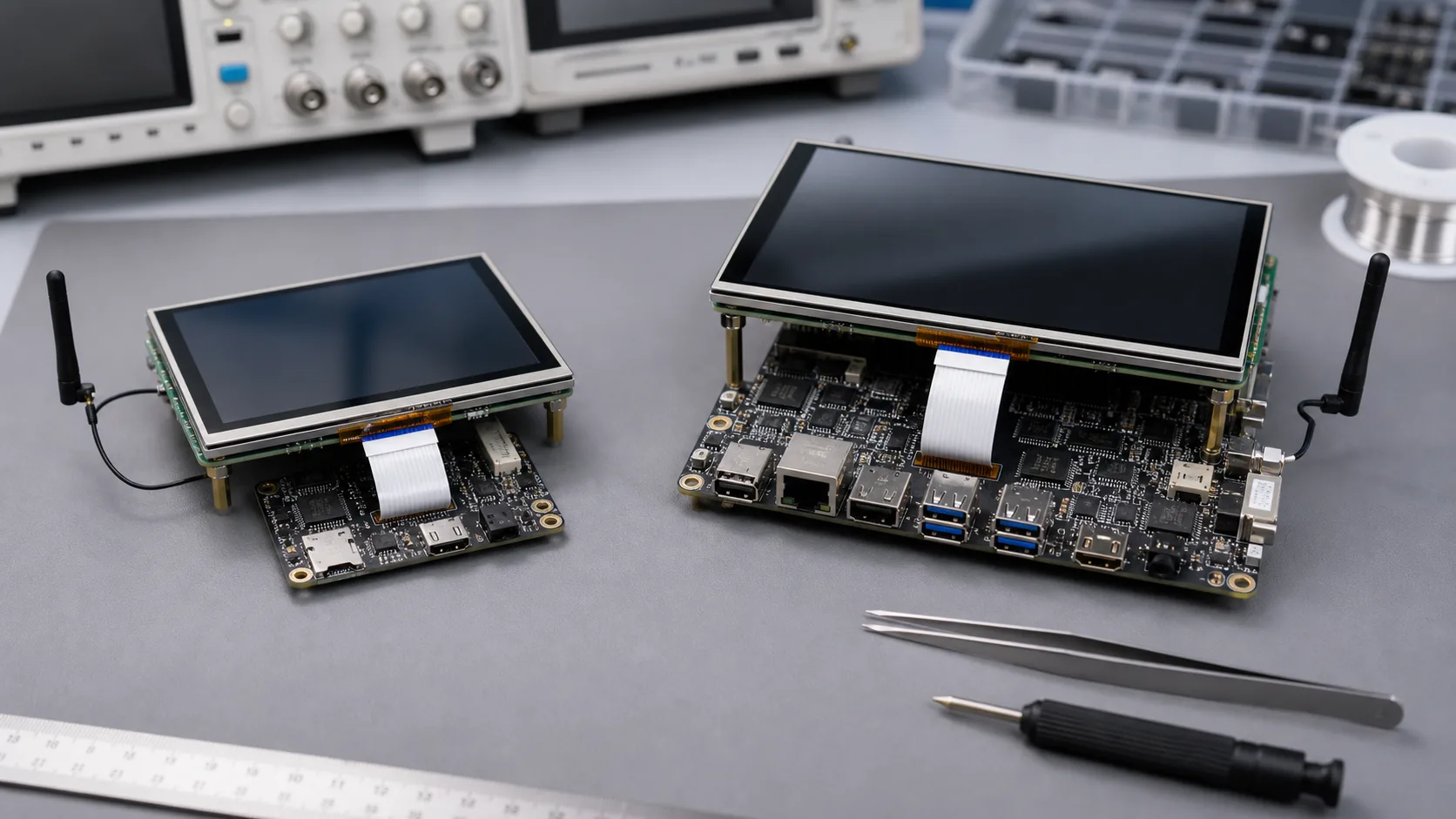
A33 and A64 often appear in the same conversation when a team is trying to build a cost-sensitive Android display product. The product may be a small HMI panel, room controller, simple ordering terminal, information display, vending interface, or compact commercial touchscreen. On paper, the question looks like a processor comparison. In a real project, it is usually a risk comparison.
A low-cost board is useful only when it supports the final screen, touch panel, Android image, wireless module, enclosure, and production process. If the team saves a few dollars on the board but spends weeks fixing display rotation, touch noise, unstable Wi-Fi, or manual flashing, the cheaper choice was not actually cheaper.
For buyers evaluating an Allwinner SBC, A33 is usually discussed as a practical low-cost Android display direction. A64 is usually discussed when the product needs more flexibility, a broader Android or Linux path, or more lifecycle headroom. The right answer depends less on the chip name and more on how the device will be built, tested, and supported after shipment.
Start from the product, not the SoC
Before comparing A33 and A64, write down what the product really does. A wall panel that shows a few buttons and status values is different from a terminal that plays video, syncs with a cloud service, runs a heavier Android app, and keeps wireless active all day.
Use a simple first filter:
| Product question | Why it matters |
|---|---|
| What screen size and resolution will ship? | Display timing, memory use, UI smoothness |
| Is the UI static or animation-heavy? | CPU, GPU, memory, and app behavior |
| What does the app do at startup? | Boot time and perceived product quality |
| Which wireless module is fixed? | Android driver and certification impact |
| How many units will be built? | Unit cost, supply, and test fixture decisions |
| Is Linux also being considered? | A64 may give a broader software path |
This is where many early comparisons go wrong. A supplier may show that Android boots. That does not prove the selected LCD, capacitive touch, Wi-Fi module, customer APK, boot logo, and production image are ready together.
Where A33 can be the sensible choice
A33 can be a sensible direction when the product is simple, price-sensitive, and well defined. It often fits compact Android display devices where the UI is controlled, the screen resolution is modest, and the interface list does not keep growing during the project.
For example, A33 may be enough for a small status screen, basic room controller, compact HMI, simple service terminal, or device where the Android app is lightweight and the hardware is mostly fixed. In that kind of project, the decision is not about chasing performance. It is about building a stable, repeatable product at the right cost.
The A33 SBC path is worth reviewing when:
- The product is mainly a touchscreen UI with limited background services.
- The selected display and touch controller are already proven.
- The application does not need heavy animation, video, camera, or local data processing.
- Cost pressure is real and the production quantity is meaningful.
- The team values a focused board design over extra unused interfaces.
The caution is that A33 leaves less margin. If the product manager later adds a richer UI, heavier cloud sync, more languages, video playback, or a higher-resolution screen, the platform may feel tight. For very cost-sensitive products, that risk should be discussed before the first sample is approved.
Where A64 earns its place
A64 is usually more attractive when the product needs a wider path. A64 may be reviewed when the team wants more software flexibility, Android and Linux options, stronger connectivity, or a product roadmap that may grow after launch. It can also make sense when the application workload is not fully known yet.
The A64 SBC direction is worth discussing when:
- The product may need Android or Linux variants.
- The UI has more screens, more animation, or more background services.
- The device may need longer field support or follow-up models.
- The project needs more room for wireless, storage, or software updates.
- The team wants a safer platform margin than the lowest-cost option.
This does not mean A64 is always better. If the final device is simple and the cost target is strict, using a more capable platform can waste money. A64 becomes the better choice when the extra margin reduces project risk or protects the product roadmap.
For Android application behavior, the official Android developer guide is useful background, but embedded display products still need board-level BSP validation. App guidance does not replace display bring-up, touch testing, wireless driver checks, or factory image control.
The real cost comparison
Procurement teams often ask for the lowest board price. That is understandable, but it is not enough. The board cost is only one part of the product cost. The real comparison should include BSP effort, display supply, wireless module stability, enclosure fit, factory flashing, test time, and failure handling.
Use a more practical cost view:
real_product_cost =
  board_price
  + display_and_touch_validation
  + BSP_customization
  + assembly_labor
  + production_test_time
  + field_support_risk
In a small prototype run, A64 may feel more expensive than needed. In a product that later needs stronger software, more storage, or Linux support, A64 may avoid a redesign. In a simple high-volume product, A33 may win because every saved dollar matters and the requirements are stable.
One bench habit helps: test the same customer app on both platforms with the intended display, touch panel, wireless module, and storage. Do not compare a clean demo launcher on one board against the real app on another.
Display and touch can decide the answer
For Android display products, screen and touch support can decide the platform before CPU performance matters. Confirm the LCD interface, resolution, rotation, brightness control, backlight timing, touch controller, cover glass, cable length, and grounding. If the screen is already fixed by the enclosure, the board must follow that reality.
A33 is stronger when the display stack is known and modest. A64 is safer when the screen requirement may grow, the UI is richer, or the product may need a longer software path. In both cases, request the exact display and touch validation status from the supplier. A different panel revision or touch controller can change Android behavior.
For broader Android display planning, read display and touch integration for Android HMI. It covers the screen and touch issues that usually create hidden work.
Production and supply questions
Before choosing A33 or A64, ask practical production questions. Which Android version is supported? Which display has been tested? Which Wi-Fi or Bluetooth module is fixed? Is the storage eMMC or SD? How is the image flashed? How are serial numbers and MAC addresses handled? What is tested at the factory?
For a cost-sensitive product, the answer should not be “we will check later.” Late changes to display, touch, wireless, storage, or power can remove the expected cost advantage. If the product needs a special PCBA outline, connector direction, or enclosure fit, compare a Custom SBC path early instead of forcing a standard board into the product.
For a wider Allwinner platform view, read A33, A64, R528, and R128 platform comparison. That article is useful when the project may move beyond Android display products into Linux, gateway, audio, or RTOS directions.
Final recommendation
Choose A33 when the product is cost-sensitive, the Android UI is simple, the display and touch stack are proven, and the interface list is stable. Choose A64 when the product needs more flexibility, more software margin, possible Linux support, or a longer roadmap.
The safest decision is made with real materials: screen datasheet, touch controller, app workload, wireless module, memory and storage target, enclosure drawing, expected quantity, and production test plan. With those details, Avontek can compare standard Allwinner SBC options and a custom board direction without turning the discussion into a processor-name debate.
Frequently Asked Questions
Is A33 still suitable for new Android display products?
A33 can still fit simple, cost-sensitive Android display products when the UI is controlled, the display and touch stack are proven, and the product does not need much performance or roadmap headroom.
When is A64 a better choice than A33?
A64 is usually worth reviewing when the product needs more software flexibility, Linux or Android options, richer connectivity, longer lifecycle planning, or more room for future application changes.
What should buyers confirm before choosing A33 or A64?
Confirm the display, touch controller, Android version, memory and storage size, wireless module, enclosure limits, production quantity, flashing method, functional test process, and exact component supply plan.
Frequently Asked Questions
Is A33 still suitable for new Android display products?
A33 can still fit simple, cost-sensitive Android display products when the UI is controlled, the display and touch stack are proven, and the product does not need much performance or roadmap headroom.
When is A64 a better choice than A33?
A64 is usually worth reviewing when the product needs more software flexibility, Linux or Android options, richer connectivity, longer lifecycle planning, or more room for future application changes.
What should buyers confirm before choosing A33 or A64?
Confirm the display, touch controller, Android version, memory and storage size, wireless module, enclosure limits, production quantity, flashing method, functional test process, and exact component supply plan.